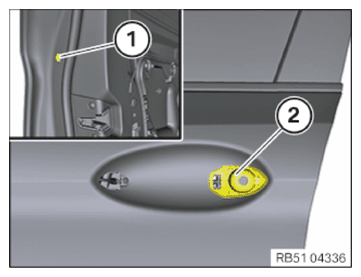
Installing door lock and outside door handle support of driver's door
- Guide in the door lock (1) together with the outer door handle support.
- Attach wiring harness.
- Connect the connector on the door lock (1).
- Position screws (2) to (4).
- Tighten the screws in the following sequence: (2) - (3) - (4).
TIGHTENING TORQUE SPECIFICATIONS
| Door lock to door | ||
| Screw | Tightening torque | 8.8 Nm |
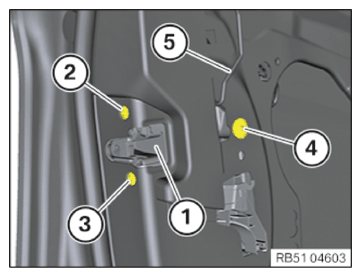
- Clip in locking rod (5).
- Version with Automatic Soft Close system:
Fasten the drive for the soft-close automatic function (1) on the door.
Connect the connector to the drive for the soft-close automatic function (1).
- Tighten down screw (1).
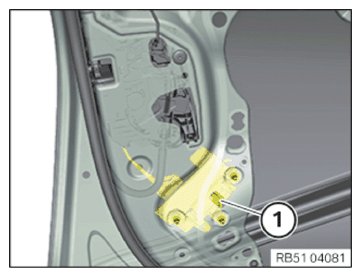
TIGHTENING TORQUE SPECIFICATIONS
| Outside door handle support to door | ||
| Screw | Tightening torque | 2.6 Nm |
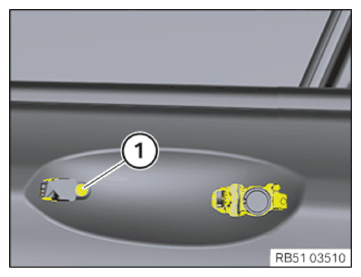
- Install the attachment hood (2).
- Tighten down screw (1).
TIGHTENING TORQUE SPECIFICATIONS
| Attachment bell to outside door handle support | ||
| Screw | Tightening torque | 3 Nm |