Maintenance Service Reminder Reset - Procedure 05
NOTE:
On some models an appropriate scan tool may be used to reset CBS service schedules. By using suitable diagnostic equipment connected to the vehicle diagnostic connector it is possible to reset CBS service schedules at any time. By selecting the `CBS' option, the diagnostic equipment will gather information regarding the current state of CBS items from their relevant modules on the CAN network. See PROCEDURE 06 .
NOTE:
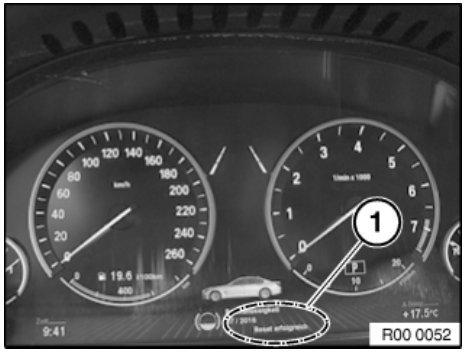
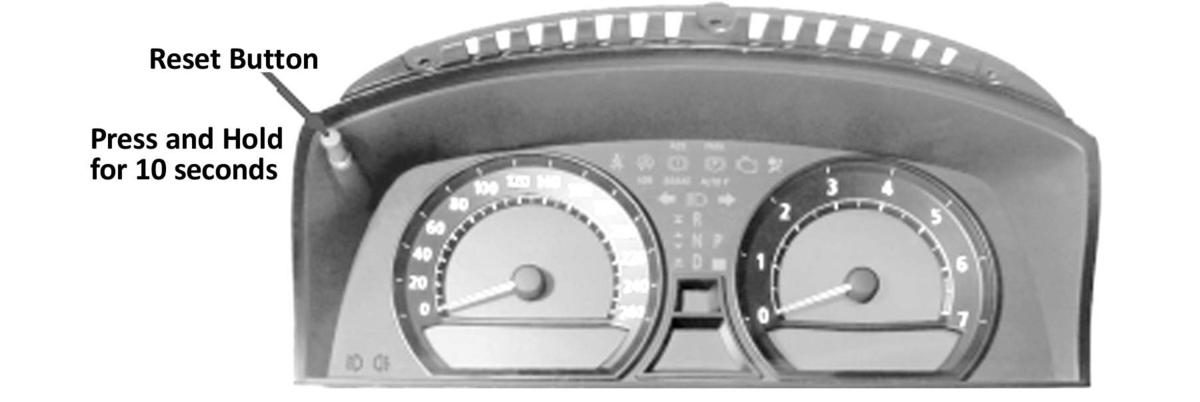
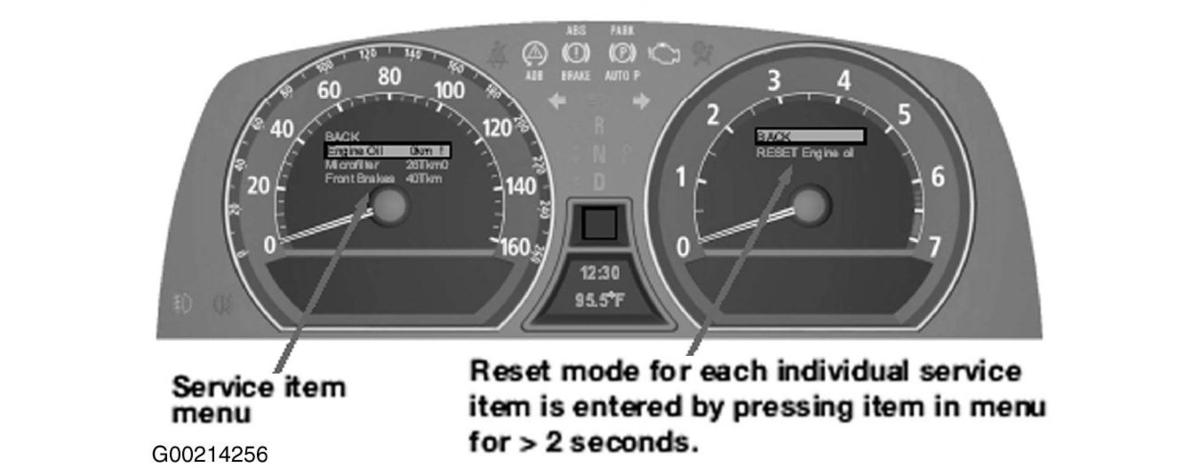
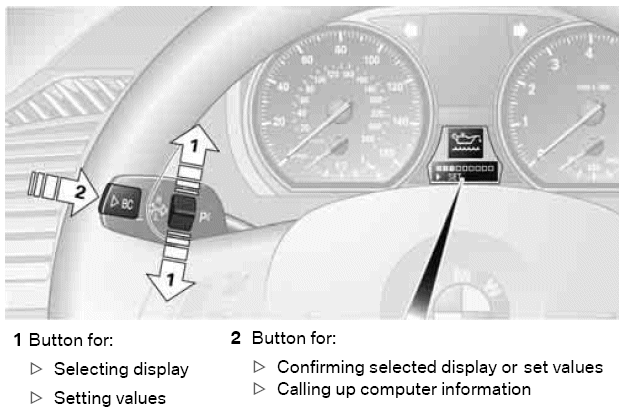
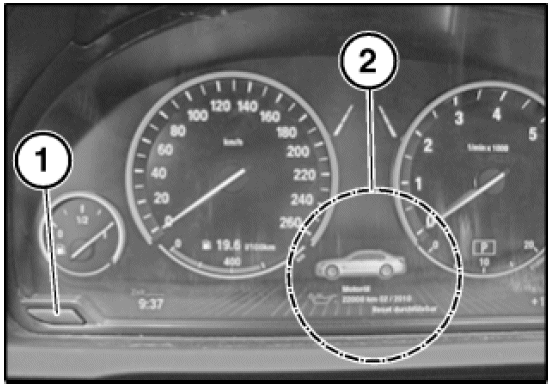
Use this procedure on vehicles with an instrument panel like the one shown in Fig 1. If vehicle has an instrument panel like the ones shown in Figure, Figure, or Figure, see PROCEDURE 04
On-the-vehicle service operations can be reset at the instrument panel.
NOTE:
A reset is only possible in the car if:
- There is no Check Control message
- Availability of the service job is under 90%
- On-board date must be correctly set
NOTE:
Resetting of a service job must always be carried out after a maintenance measure has been completed.
IMPORTANT:
If engine oil and vehicle check are reset at the same time, always reset engine oil first.
- Switch the ignition on.
- Press the odometer reset button (1) until the 1st service job appears in the display (2) - 6 to 10 seconds. See Fig 1.
- Bring up the next item by briefly pressing the button again.
- Select the desired service job.
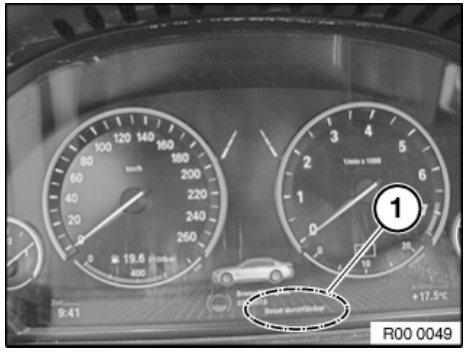
- If a reset is possible, this is displayed in the instrument panel as "Reset executable". See Fig 2.
- Start the reset by pressing the button for 3 seconds.
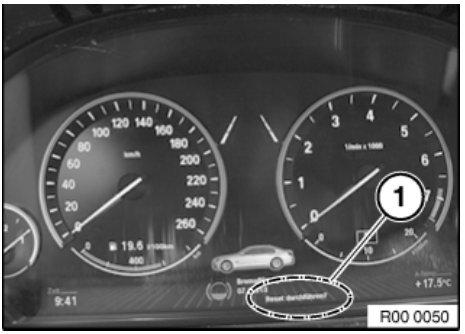
- Confirm text message "Execute reset?" by pressing the button for 3 seconds again. See Fig 3.
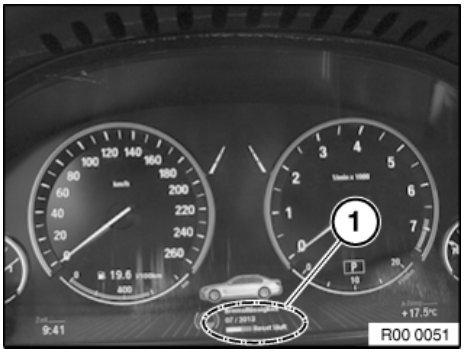
- The status of the reset is indicated in the display by a progress bar and in text as "Reset running". See Fig 4.
- The reset is confirmed after completion as "Reset successful". See Fig 5.
 Courtesy of BMW OF NORTH AMERICA, INC.
 Courtesy of BMW OF NORTH AMERICA, INC.
 Courtesy of BMW OF NORTH AMERICA, INC.
 Courtesy of BMW OF NORTH AMERICA, INC.