TECHCONNECT App Update For IOS Users (SI B00 11 20)
Publication date: 2022-05-12Reference number: SI B00 11 20
TECHCONNECT APP UPDATE FOR IOS USERS
SERVICE CAMPAIGN BULLETIN
| BMW: | All Models |
SERVICE INFORMATION
This Service Information Bulletin (Revision 12) replaces SI B00 11 20 dated December 2021.
What's New:
- New installation and update process for iOS users (Apple app store)
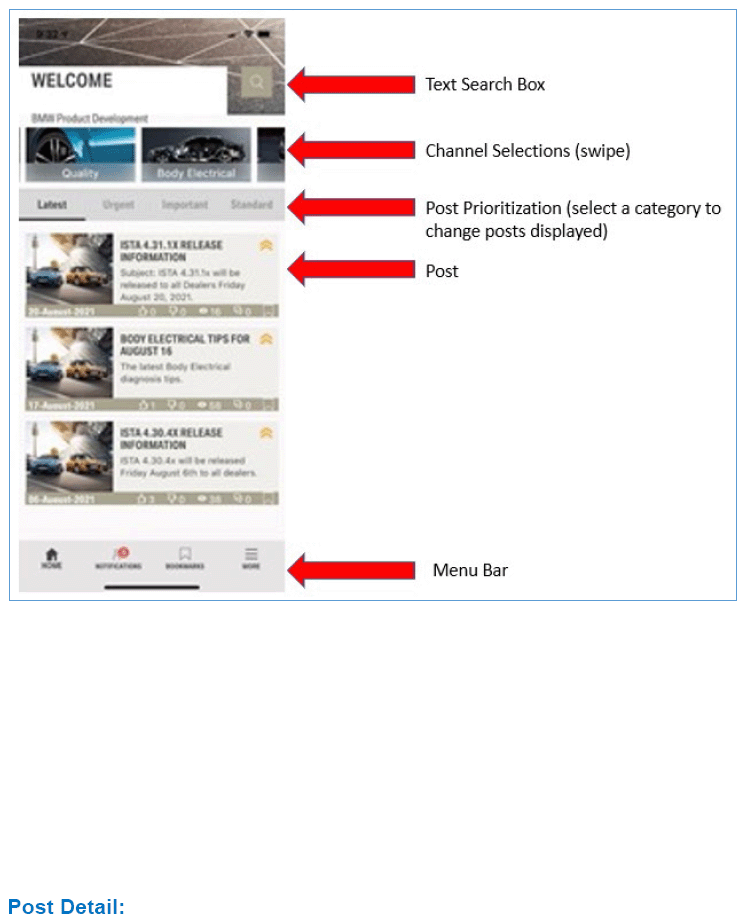
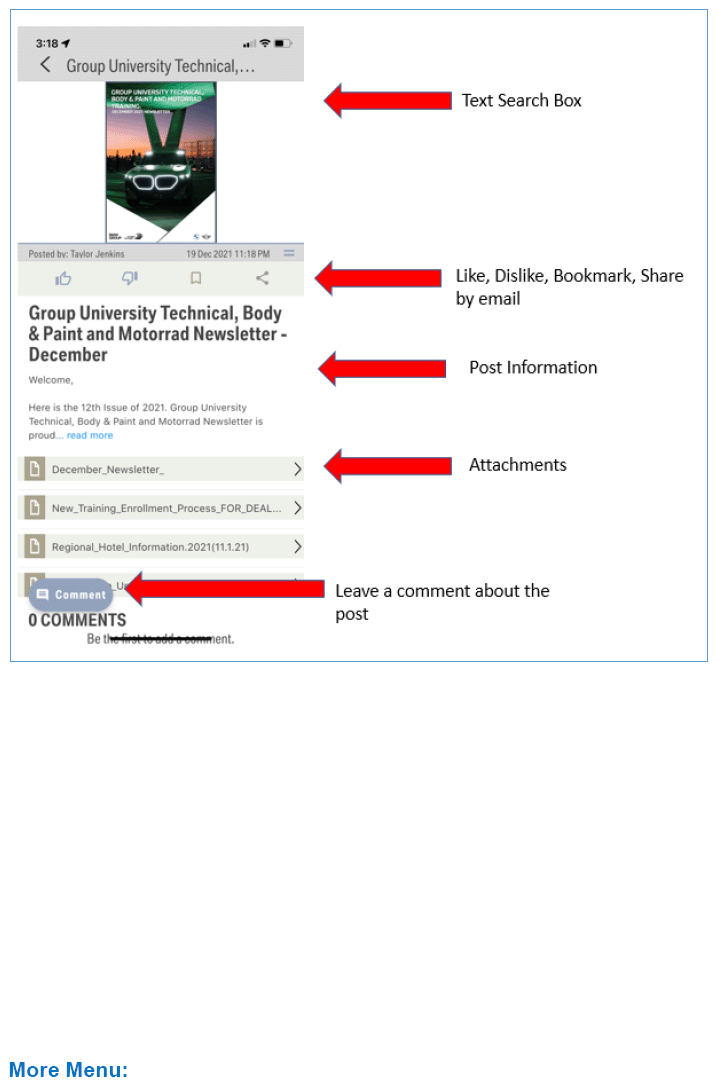
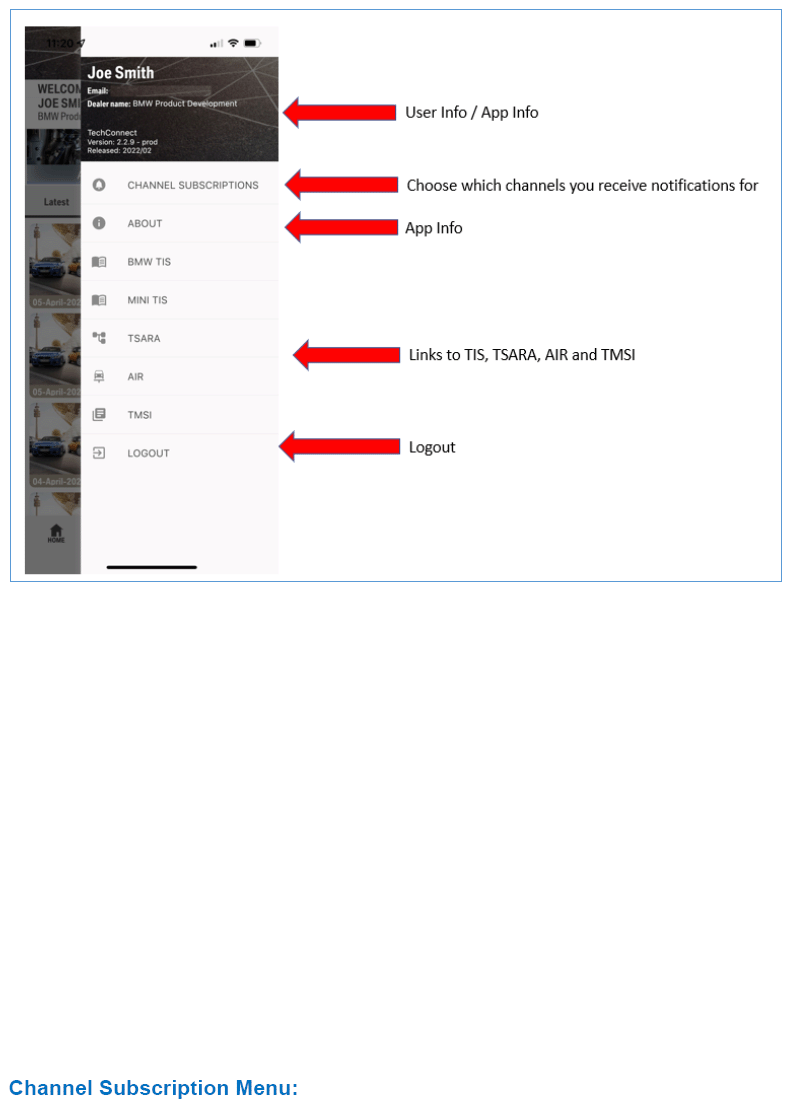
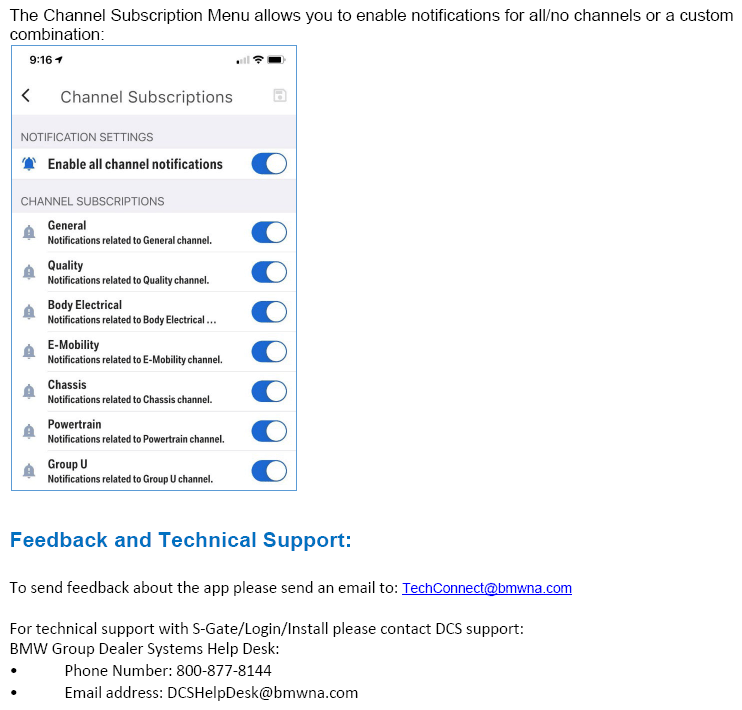
- New App quick start guide with feature info and use tips
- New info about how to update your saved password (biometrics for iOS and Android)
SITUATION
App version 2.3.0 has been released for iOS users.
Info for ALL iOS users:
We are happy to announce that because of a recent Apple policy change the TechConnect app has moved to the Apple app store.
Please note that the app is not searchable in the Apple store but can be installed using a private link (available below).
Update for EXISTING iOS users:
If you currently have the TechConnect app installed from the dealer app store we ask that you delete it before installing the updated app from the Apple store.
The TechConnect app will be removed from the BMW dealer app store on or before 5/31/2022. Existing users will need to delete the app and install the Apple app store version, or you will no longer receive app updates.
We suggest you migrate to the latest version from the Apple store at your earliest convenience.
INSTALLATION
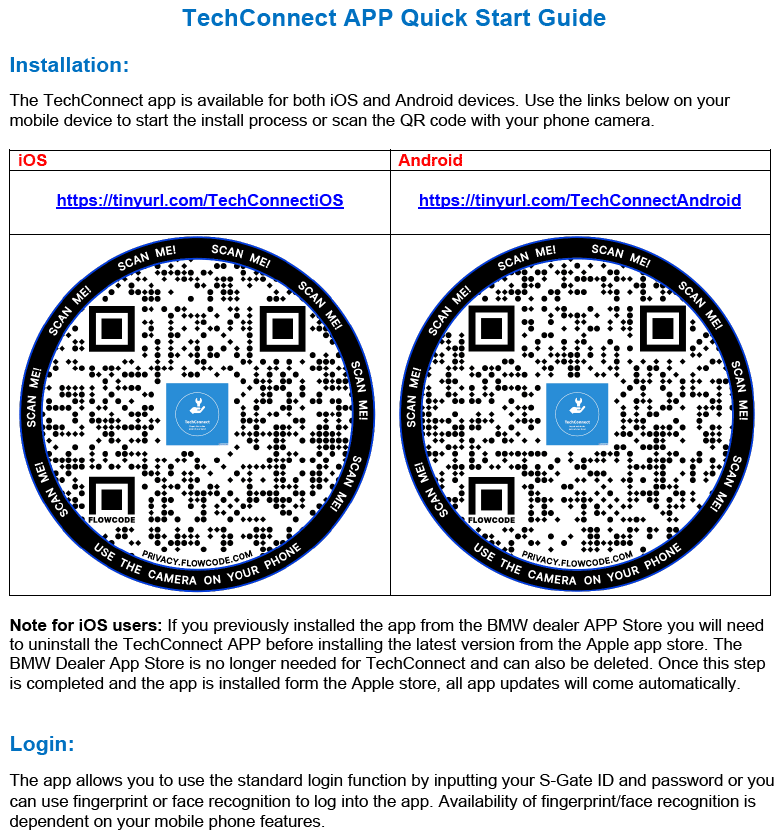
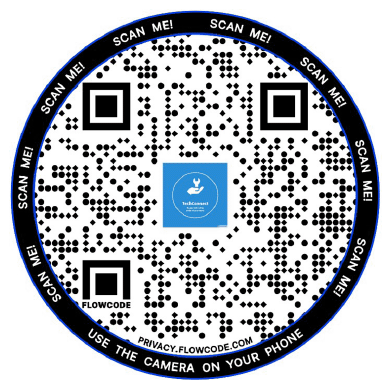
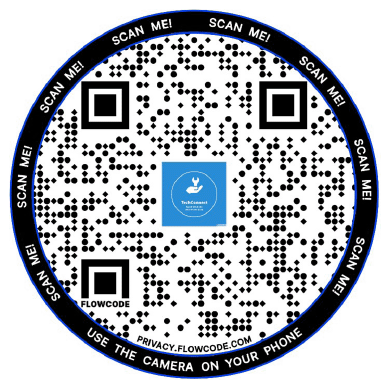
The TechConnect app is available for both iOS and Android devices. Use the links below on your mobile device to start the install process or scan the QR code with your phone camera.
iOS Users
https://tinyurl.com/TechConnectiOS
Android Users
https://tinyurl.com/TechConnectAndroid
Note about password changes in S-Gate:
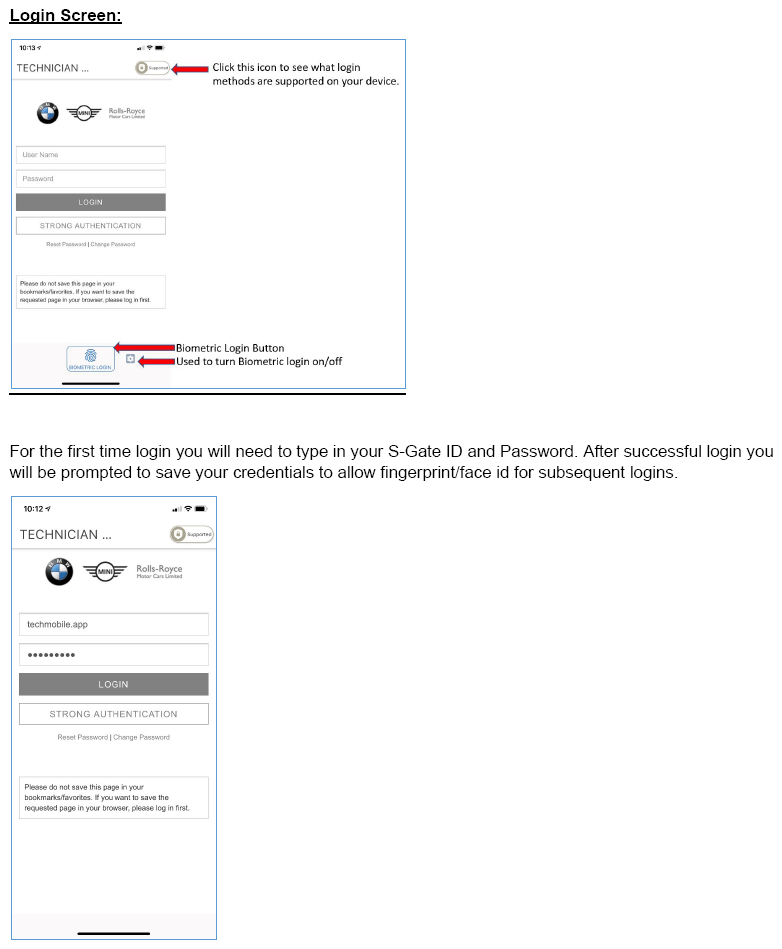
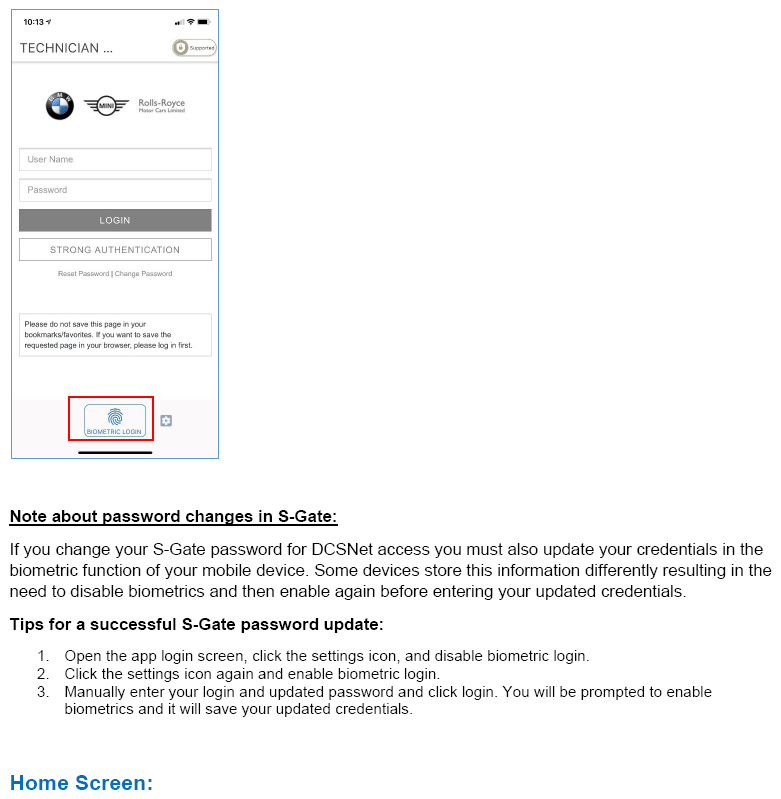
When you change your S-Gate password for DCSNet access you must also update your credentials in the app biometric function on your mobile device. Some devices store this information differently resulting in the need to disable biometrics and then enable again before entering your updated credentials.
Tips for a successful S-Gate password update:
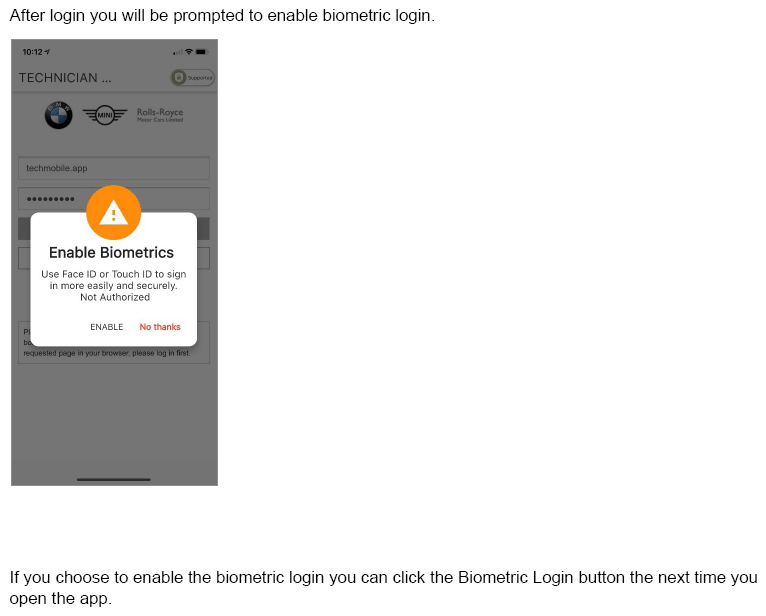
- Open the app login screen, click the settings icon, and disable biometric login.
- Click the settings icon again and enable biometric login.
- Manually enter your login and updated password and click login. You will be prompted to enable biometrics and it will save your updated credentials.
TECHNICAL SUPPORT
For App Installation or Login support:
BMW Group Dealer Systems Help Desk:
- Phone Number: 800-877-8144
- Email address: DCSHelpDesk@bmwna.com
Please send all feedback to: Techconnect@bmwna.com
Supporting Materials
picture_as_pdf TechConnectQuickStartGuide.pdf
Attachment 1 to SI B00 11 20