Limited Functionality Without BMW Id And Driver Profile (SI B65 04 22)
Publication date: 2023-02-15Reference number: SI B65 04 22
LIMITED FUNCTIONALITY WITHOUT BMW ID AND DRIVER PROFILE
TECHNICAL SERVICE BULLETIN
| BMW: | F44 (2 Series Gran Coupe); F90 (M5 Sedan); F91 (M8 Convertible); F92 (M8 Coupe); F93 (M8 Gran Coupe); F95 (X5 M Sports Activity Vehicle (SAV)); F96 (X6 M Sports Activity Coupe (SAC)); F97 (X3 M SAV); F98 (X4 M SAC); G01 (X3 SAV); G02 (X4 SAC); G05 (X5 SAV); G06 (X6 SAC); G07 (X7 SAV); G12 (7 Series Sedan); G14 (8 Series Convertible); G15 (8 Series Coupe); G16 (8 Series Gran Coupe); G20 (3 Series Sedan); G22 (4 Series Coupe); G23 (4 Series Convertible); G26 (4 Series Gran Coupe); G29 (Z4 Roadster); G30 (5 Series Sedan); G42 (2 Series Coupe); G80 (M3 Sedan); G82 (M4 Coupe); G83 (M4 Convertible); I20 (iX SAV) |
SERVICE INFORMATION
Vehicles equipped with option code:
6U2 Live Cockpit Plus
or
6U3 Live Cockpit Professional
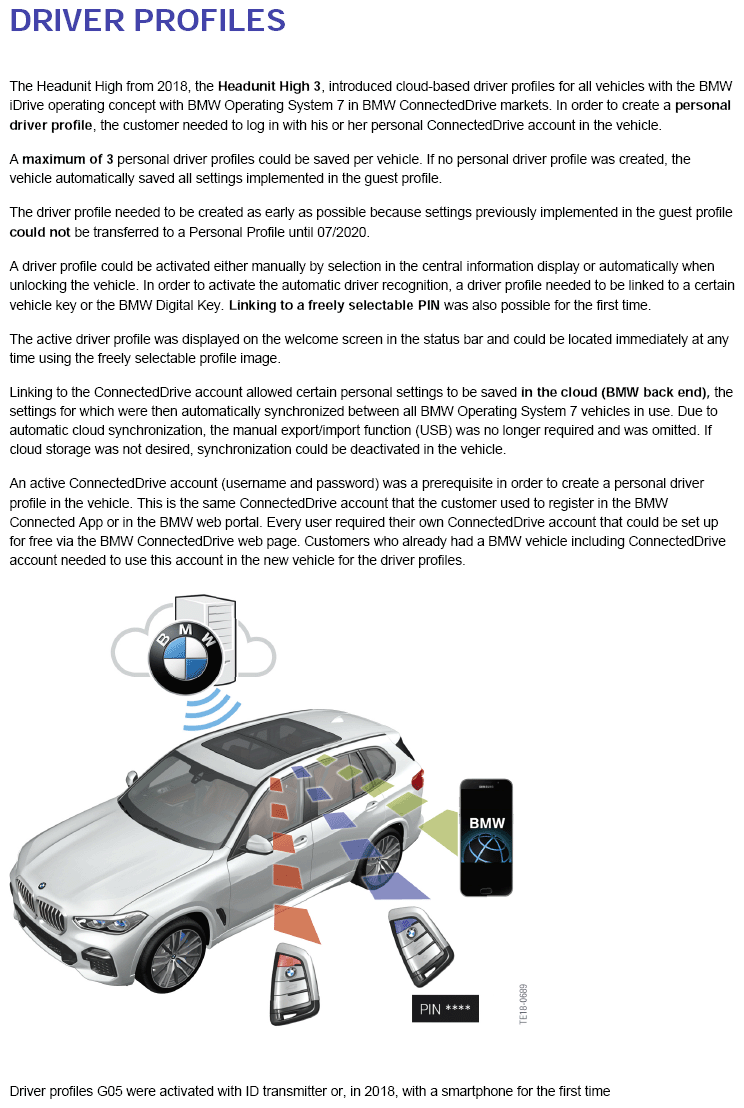
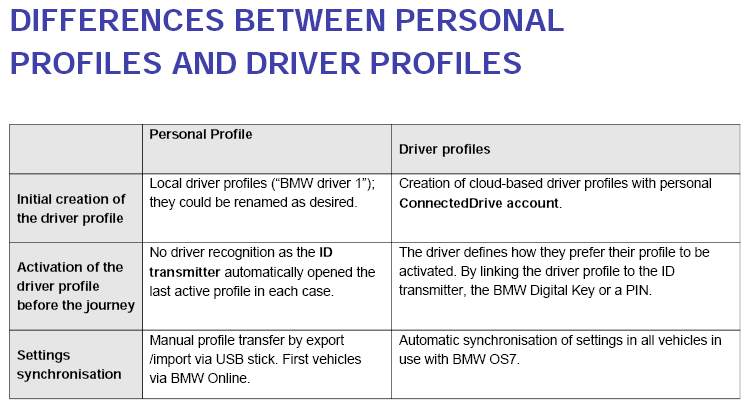
- Driver Profile was introduced with HU-H3 (MGU) in 2018
- BMW ID was introduced with HU-H4 (MGU21) in 2021
INFORMATION
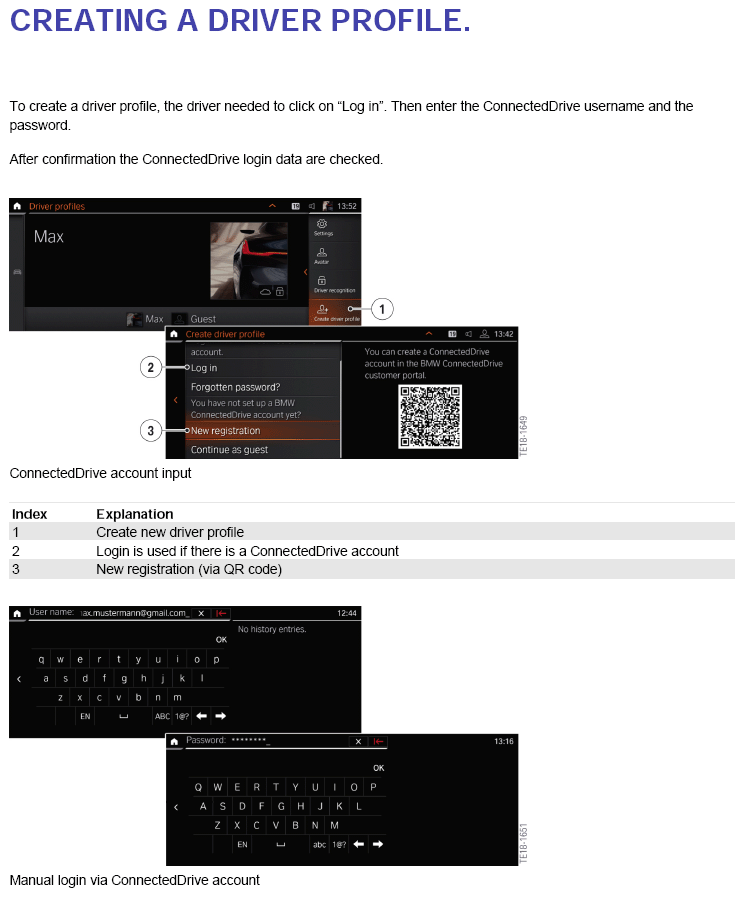
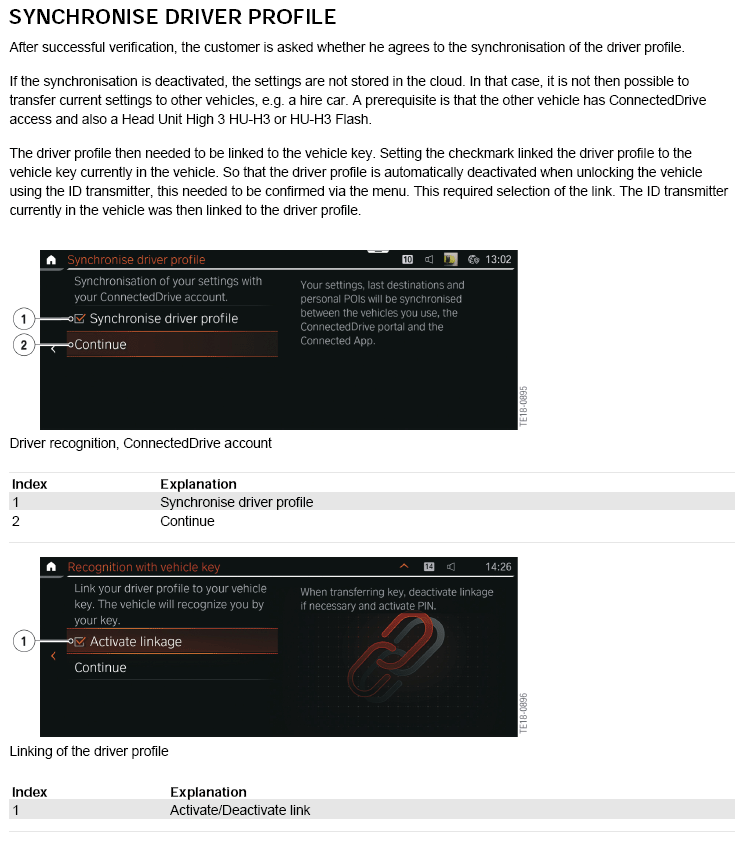
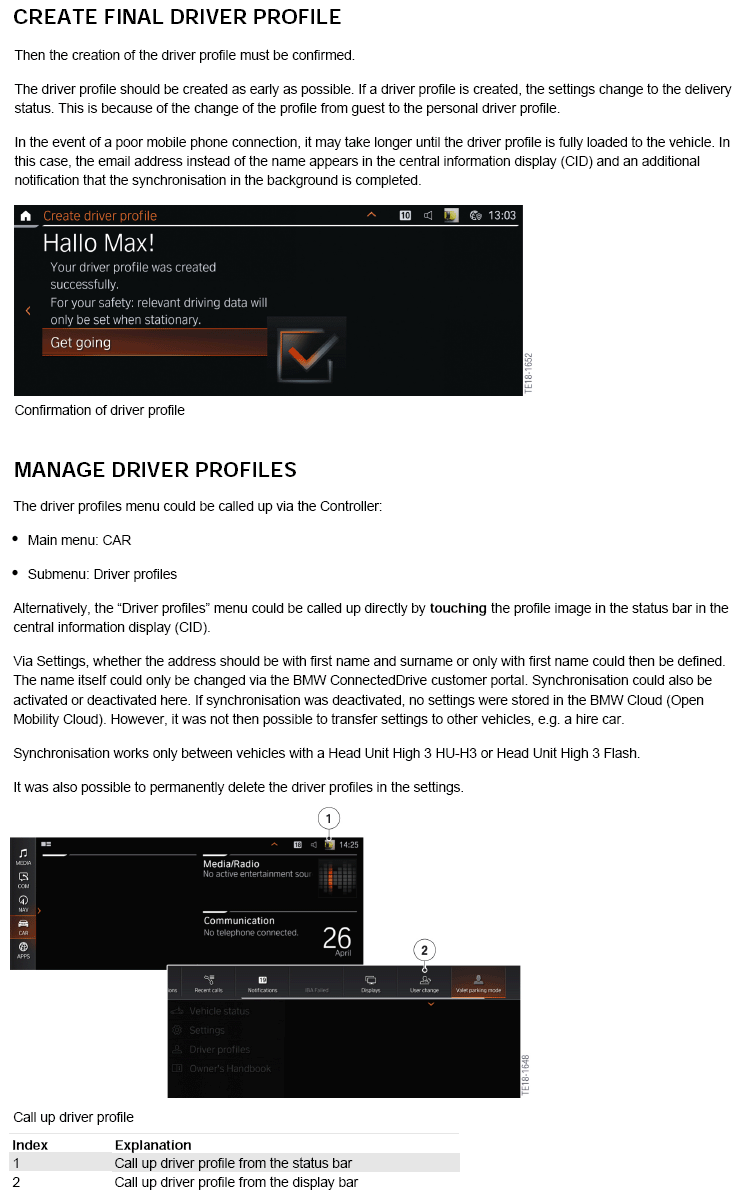
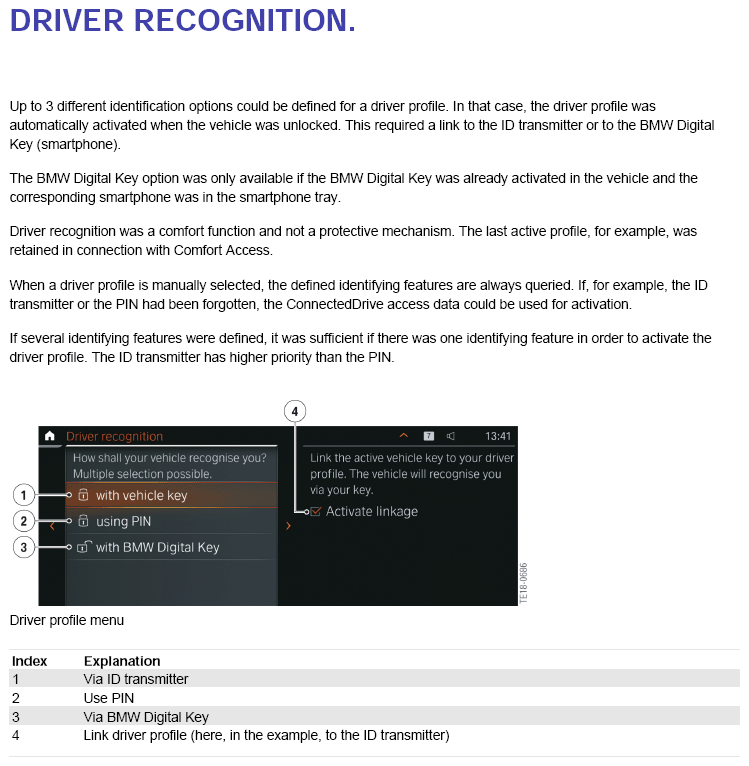
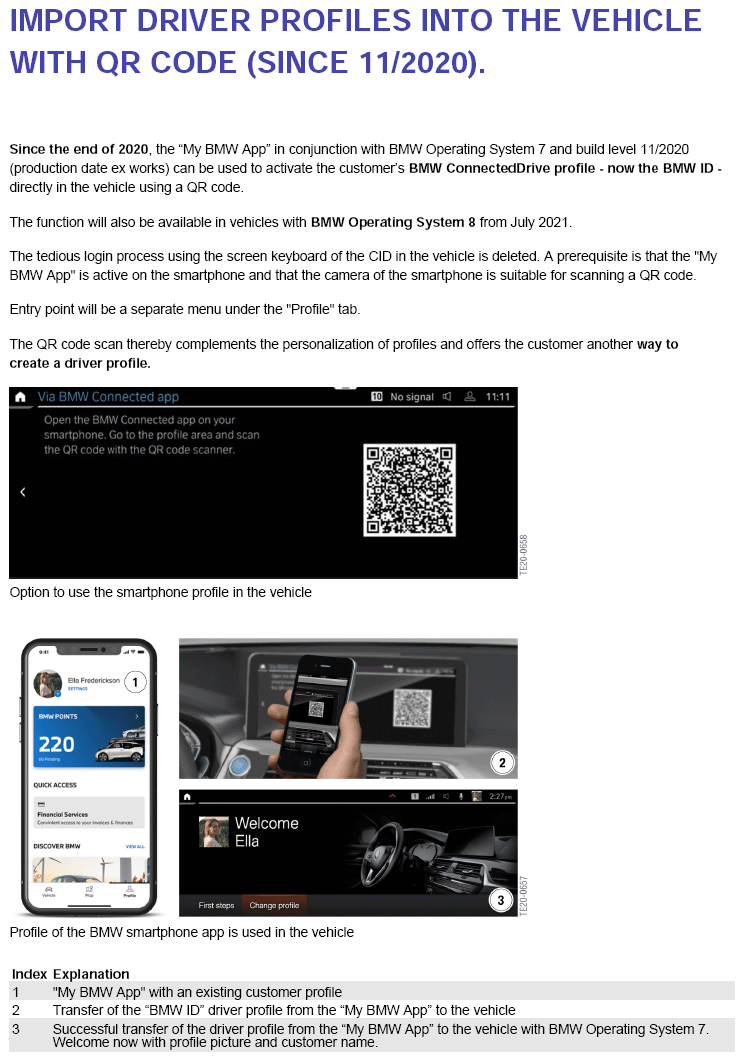
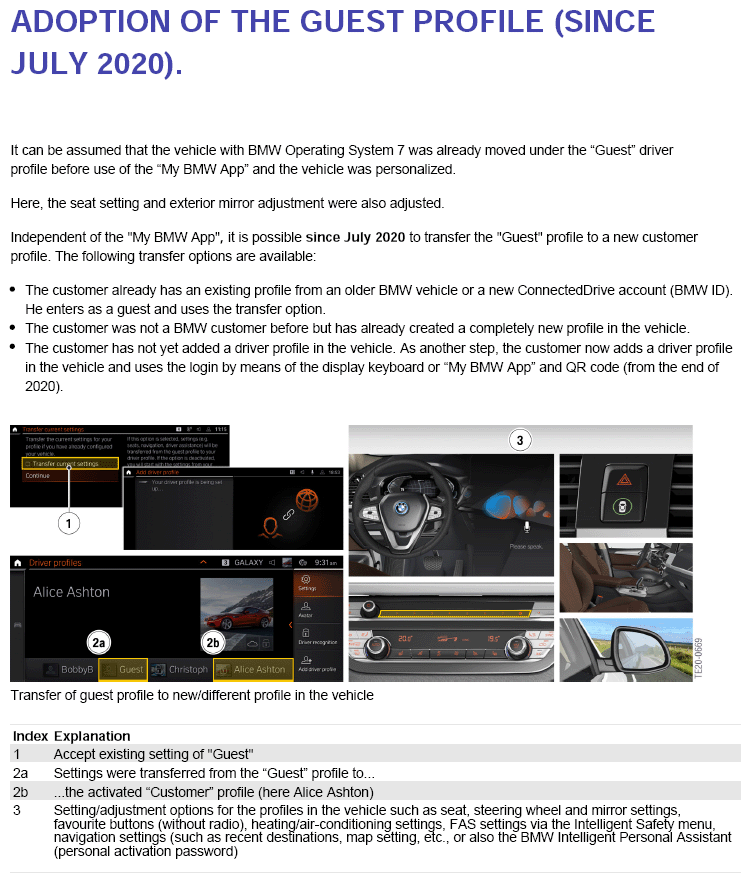
Limited functionality can be observed when a customer is not logged into their vehicle with their BMW ID/Driver Profile. Refer to Attachments.
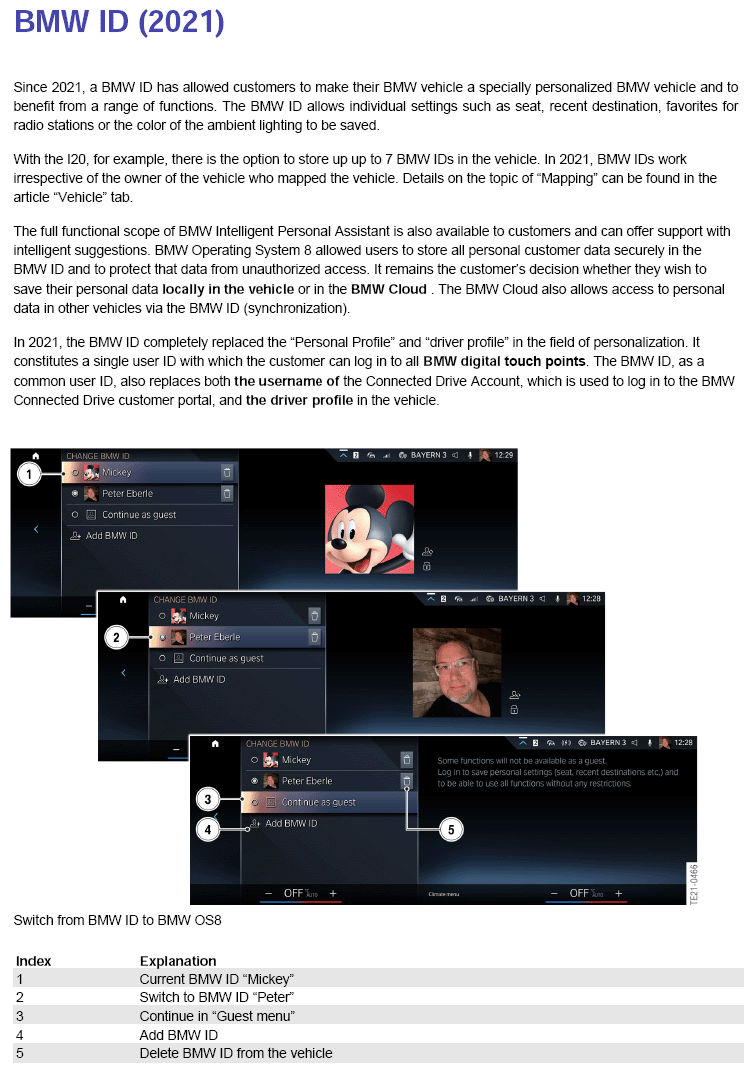
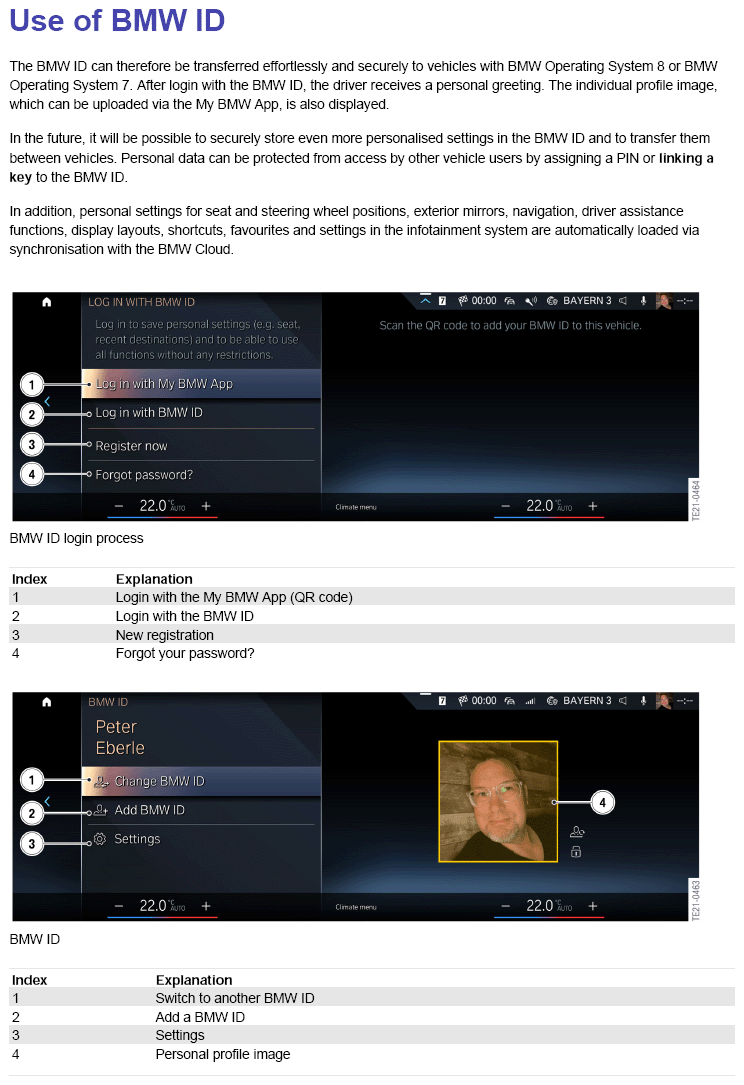
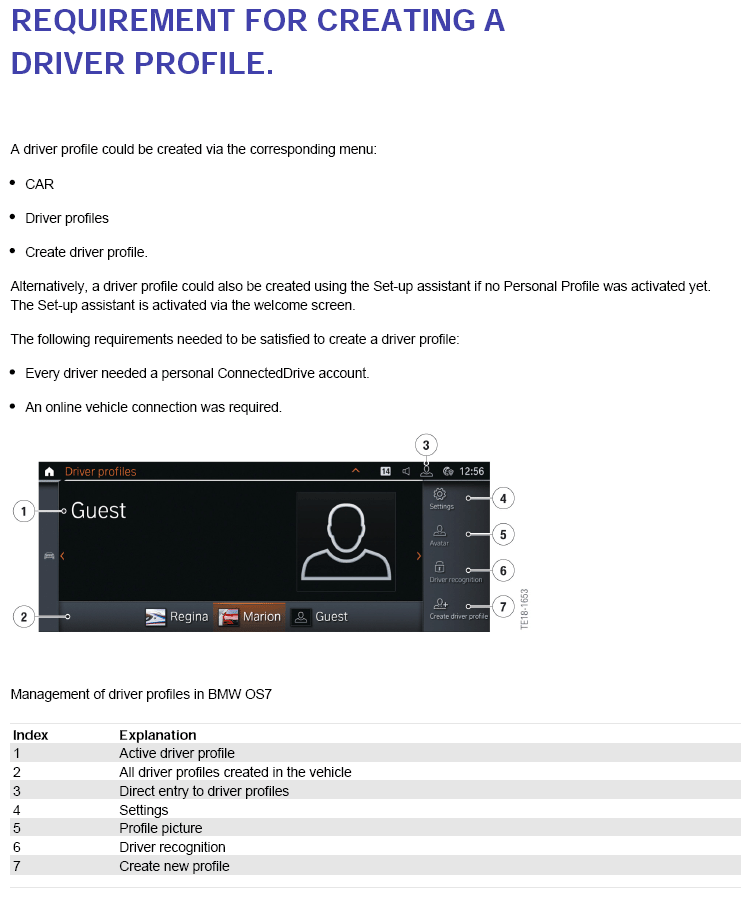
BMW ID/Driver Profile offers the possibility of logging into the vehicle for personalization in order to:
- personalize settings
- be greeted on the CID
- ability to transfer portable settings to other BMWs with OS7 or OS8
- ability to use certain vehicle functions to the full extent (recent destinations, usage of eSIM, etc)
- access functions with personal data after a driver lifecycle (e.g. snapshot gallery, Spotify log in credentials)
Background:
- Personalized configurations are stored automatically if a BMW ID is active in car.
Example: seat setting, mirror setting, climate setting, map setting, home address etc.
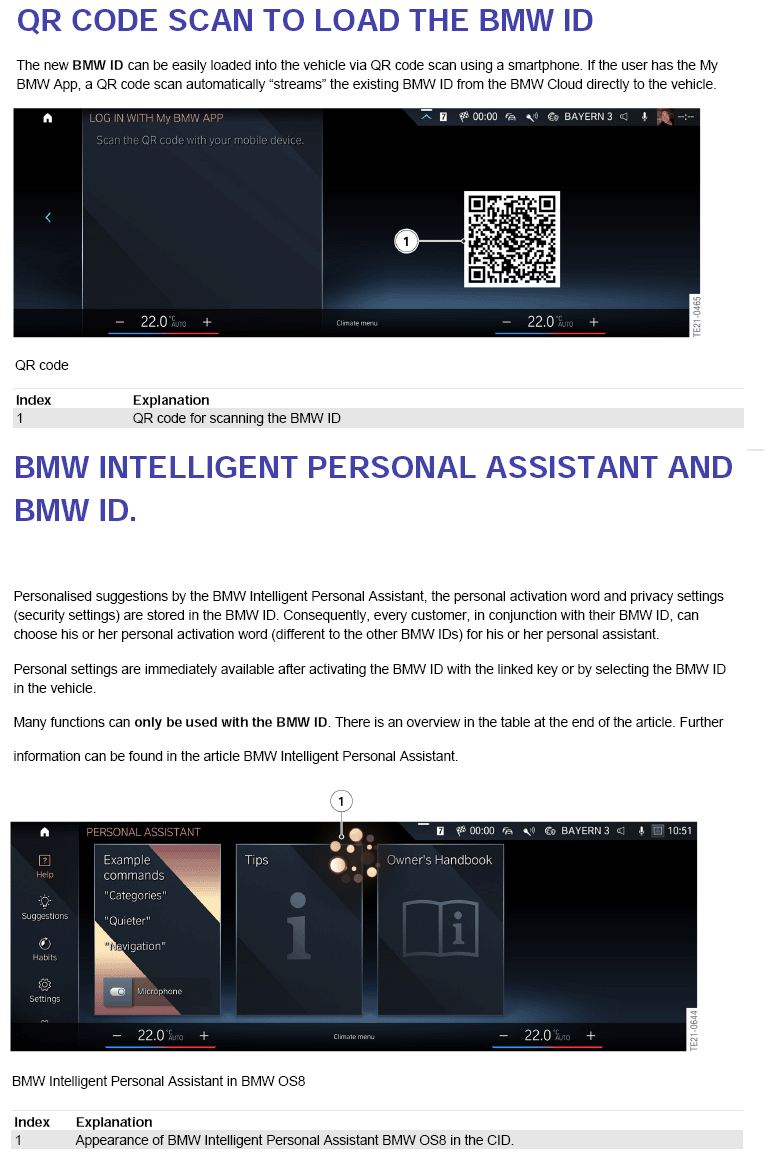
- Almost all personal settings will be synchronized automatically with your BMW ID if "Synchronize BMW ID" is active. If you log in with your BMW ID into another vehicle those personal settings are downloaded from the cloud and applied to the vehicle.
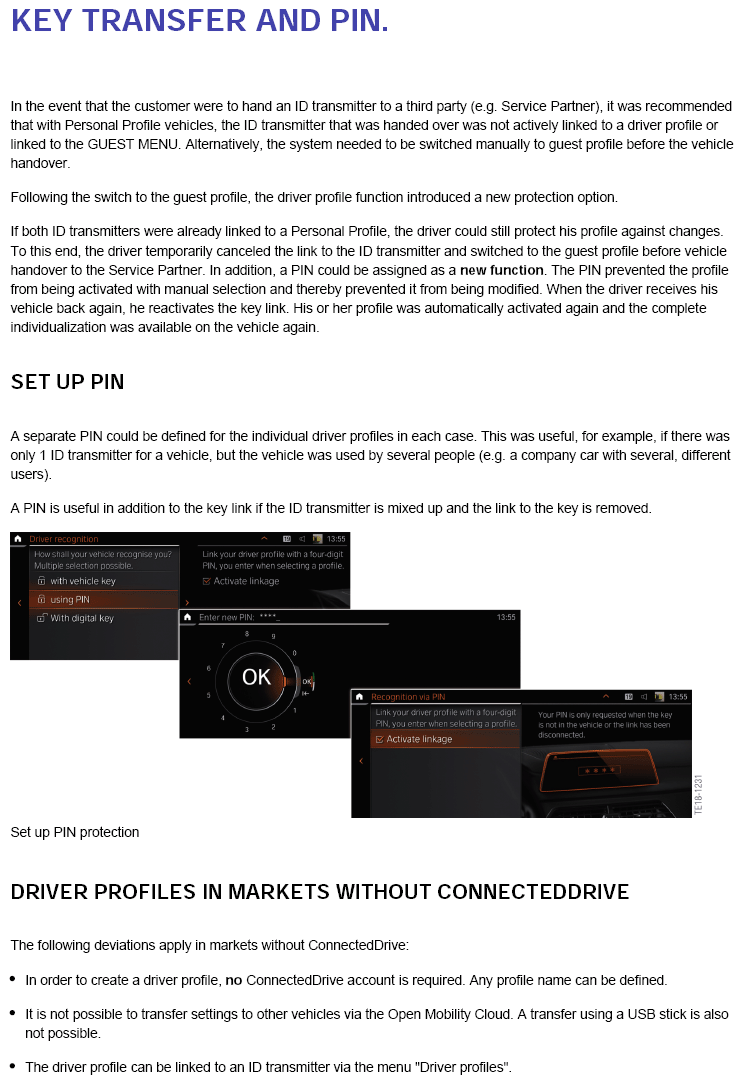
- If you link your key (vehicle key or Digital Key) to your BMW ID it will be activated automatically after unlocking with your key and all your settings will be applied. In order to link a key, a PIN must be set. It's a fallback option to access the account without having the key available.
- Personal greeting ("Welcome John Doe") applies on CID Welcome Screen if a personal BMW ID is active
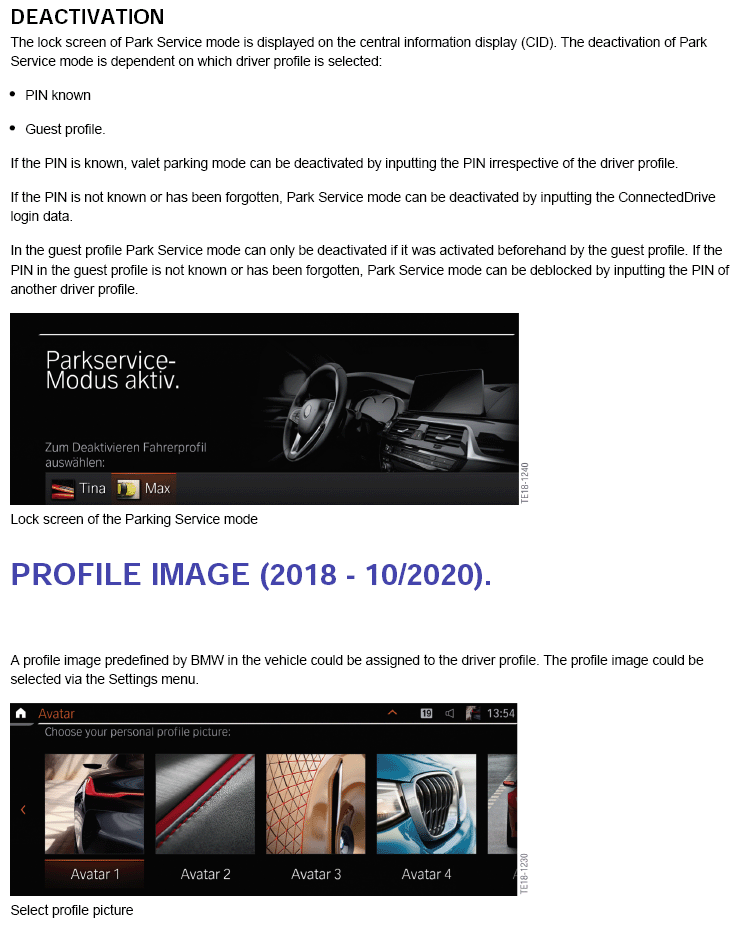
- A personal profile picture can be set in the My BMW App and is synchronized to the vehicle for vehicle customization and a better recognition of the BMW ID
- Having a BMW ID allows to access vehicle functions with personal data
Example: list of recent destinations, home address, add favorites, usage of eSIM etc. (list below)
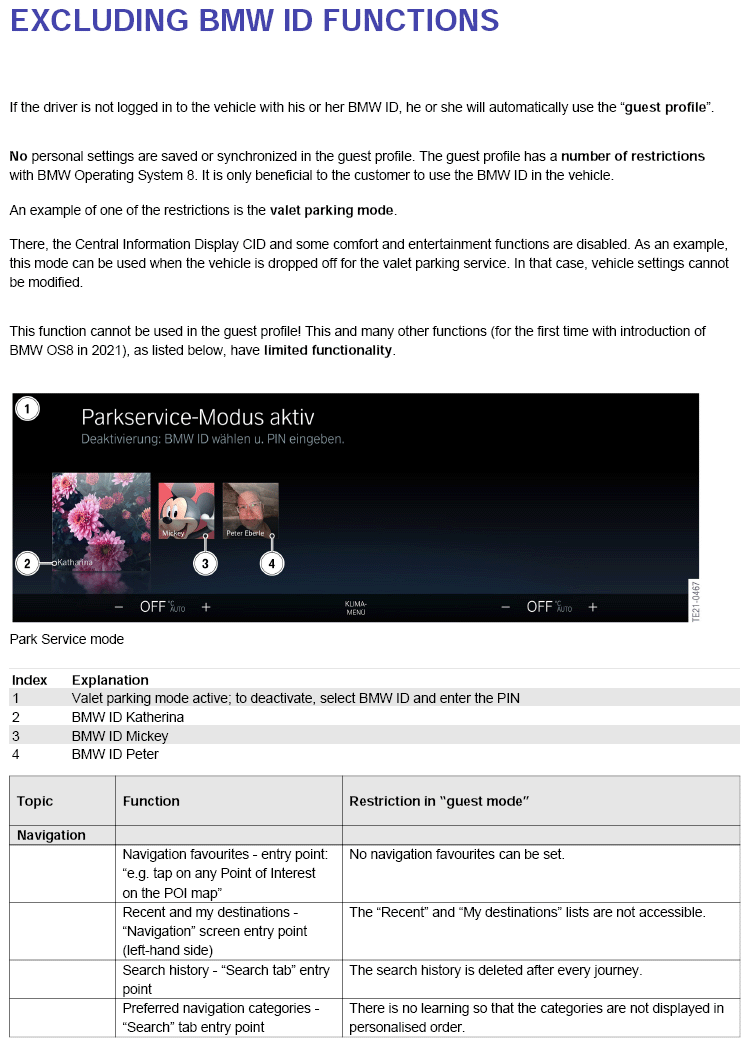
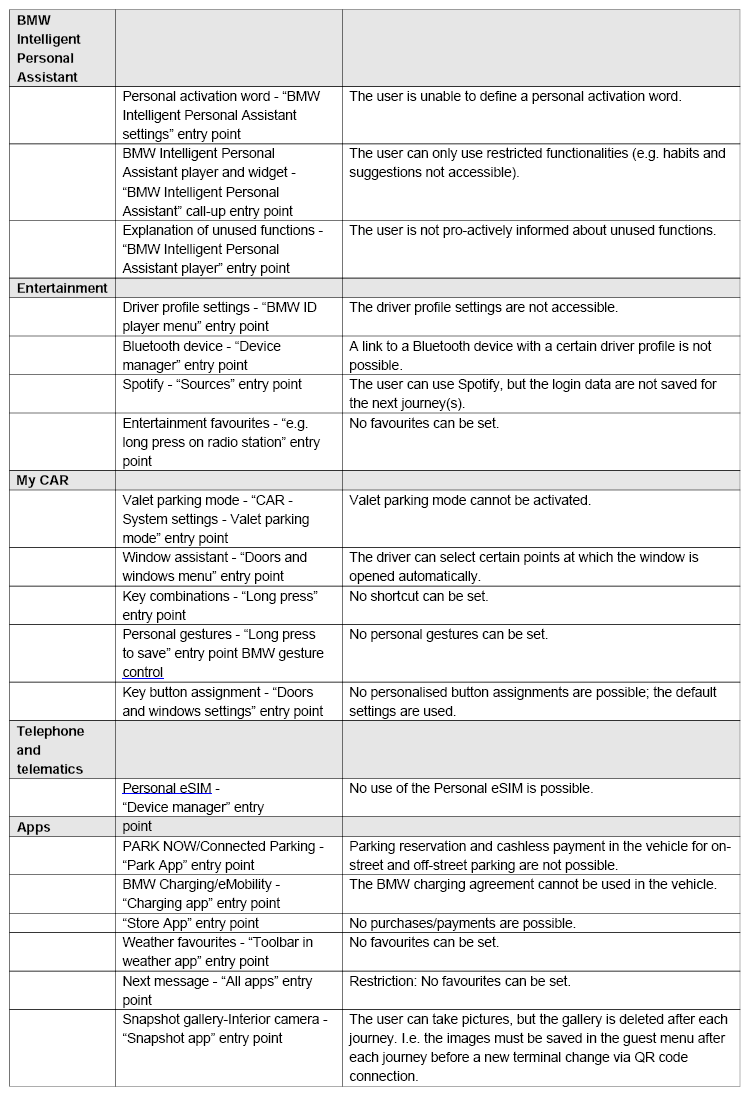
When a BMW ID/Driver Profile is not used, the following will not be saved (limited functionality):
BMW Operating System 8
- Navigation
- Favorites
- Recent Destinations
- My Destinations
- Search History
- Favorites Categories
- Key button assignment
- Personal Assistant Player & Widget (reduced functionality)
- All shortcuts
- Gesture Control
- Personal gestures
- Driver Assistance
- Parking, set activation for parking camera
- Entertainment
- Favorites
- Spotify (can be used but credentials are not saved)
- Apps
- Snapshot gallery (pictures can be taken but the gallery is deleted after every ride)
- eSIM usage
BMW Operating System 7 & BMW Operating System 8
- Personalization
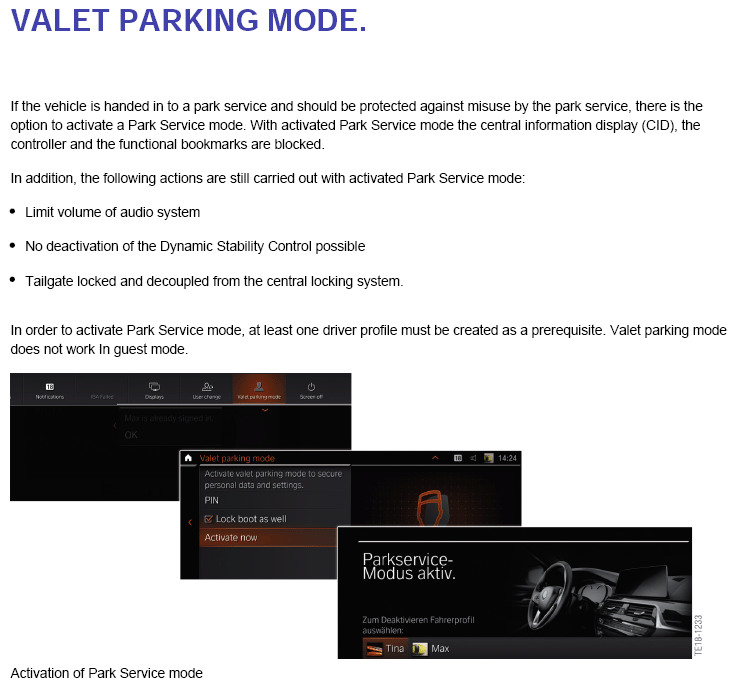
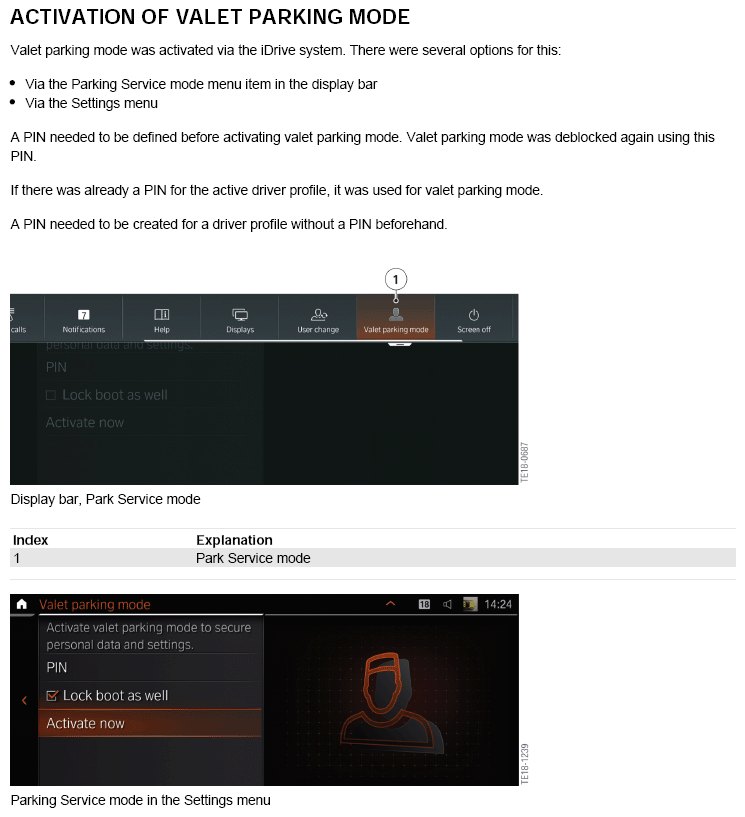
- Valet Mode
- Driver profile/BMW ID settings
- BMW Intelligent Personal Assistant
- Personal activation word
- Automated Window Lowering
- Apps
- BMW ConnectedDrive Store
- ParkNow/Connected parking
- Amazon Alexa
You do not need to own a BMW to have a BMW ID/Driver Profile, and can be created by anyone at the following link:
https://customer.bmwgroup.com/oneid/#/register
Video overview:
OS7: https://www.youtube.com/watch?v=5V8GCnZkIho
OS8: https://www.youtube.com/watch?v=vtdIpt1uH0E
FEEDBACK REGARDING THIS BULLETIN
| Technical Feedback | To submit feedback for the technical topics of this bulletin: Submit your feedback in the rating box at the top of this bulletin |
| Warranty Feedback | To submit feedback for the CLAIMS section of this bulletin: Submit an IDS ticket to the Warranty Department, or use the chat available in the Warranty Documentation Portal |
| Parts Feedback | To submit feedback for the PARTS section of this bulletin: Submit an IDS ticket to the Parts Department |
Supporting Materials
picture_as_pdf Driver Profile B650422.pdf
picture_as_pdf BMW ID B650422.pdf