ACTRON Accumulated Misfire Counter (SI B12 31 18)
Publication date: 2018-12-01Reference number: SI B12 31 18
ACTRON ACCUMULATED MISFIRE COUNTER
TECHNICAL SERVICE BULLETIN
| BMW: | All vehicles equipped with OBDII systems |
| GROUP: | Engine Electrical Systems |
SITUATION
In certain rare situations, intermittent drivability issues may not be severe enough to induce faults and require a very specific conditions to be observed.
CAUSE
Limitations if the diagnostic systems
CORRECTION
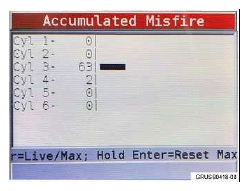
To aid in these situations, the accumulated misfire function is now available as an expanded capability for the Actron Scan tool. The Actron Scan tool (CP9670) was initially distributed through the automatic tool shipment program (SI B04 18 15 ) and is now available in the aftermarket. This supplemental diagnostic tool may be utilized in instances when no faults are stored and specific dynamic driving conditions are needed to reproduce the complaint. The Accumulated Misfire function will provide a live aggregate count of misfires detected in each cylinder. The misfire counter is incremented when the crankshaft speed fluctuates thus may occur when the engine speed changes. The misfire counts will reset to zero after the key is cycled and the engine is started.
PROCEDURE
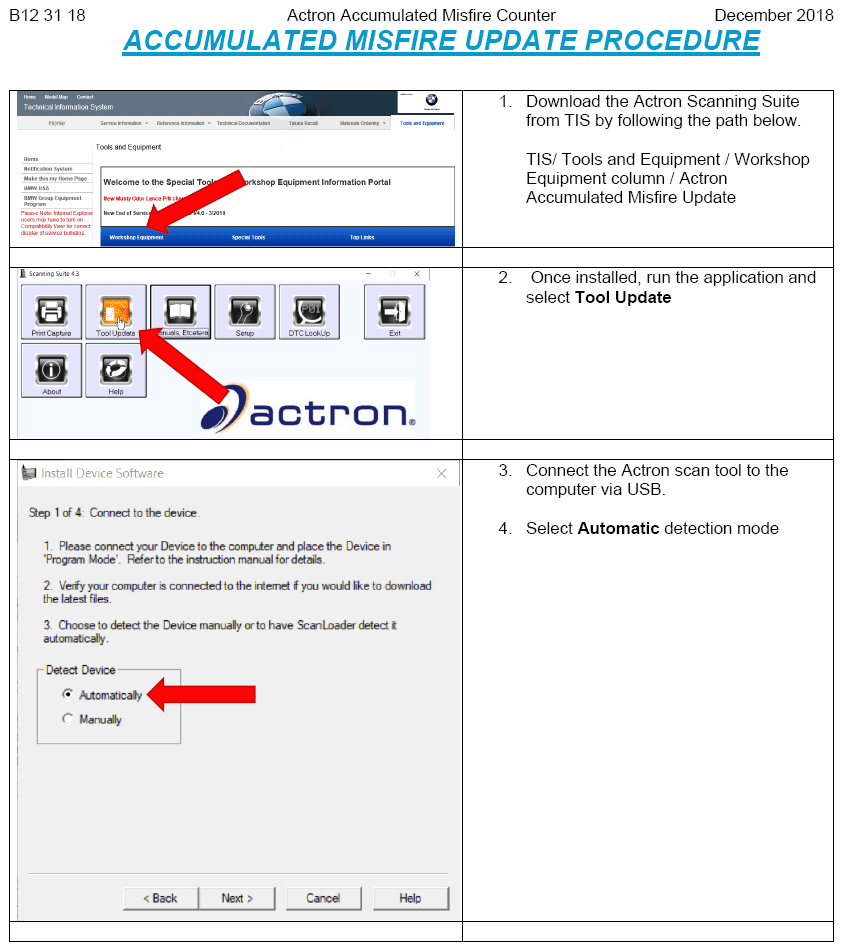
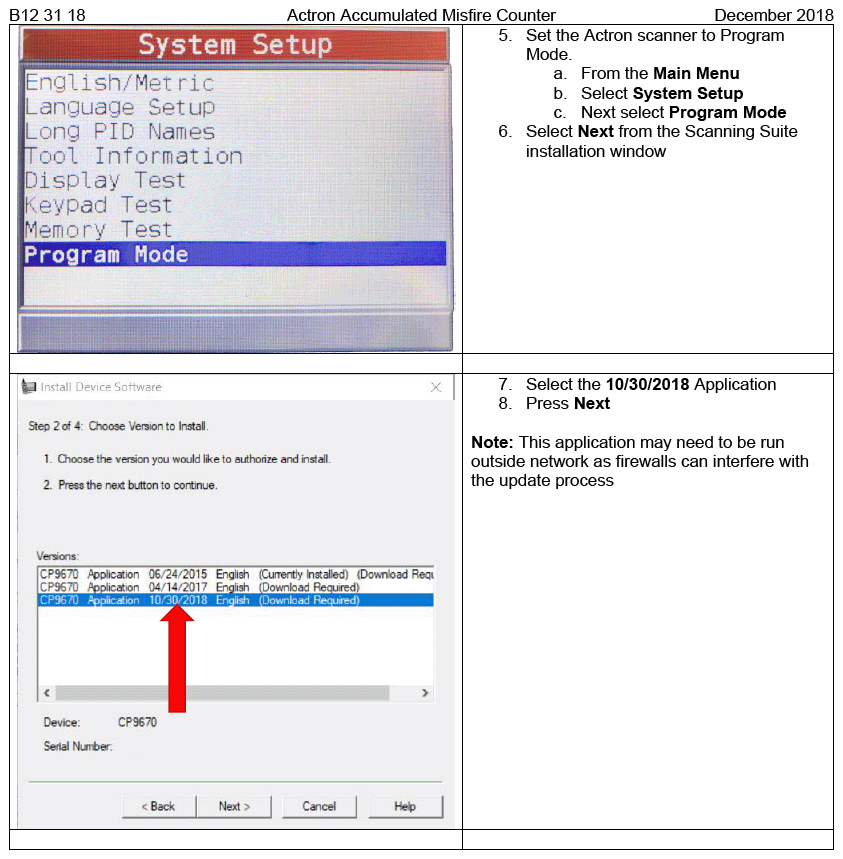
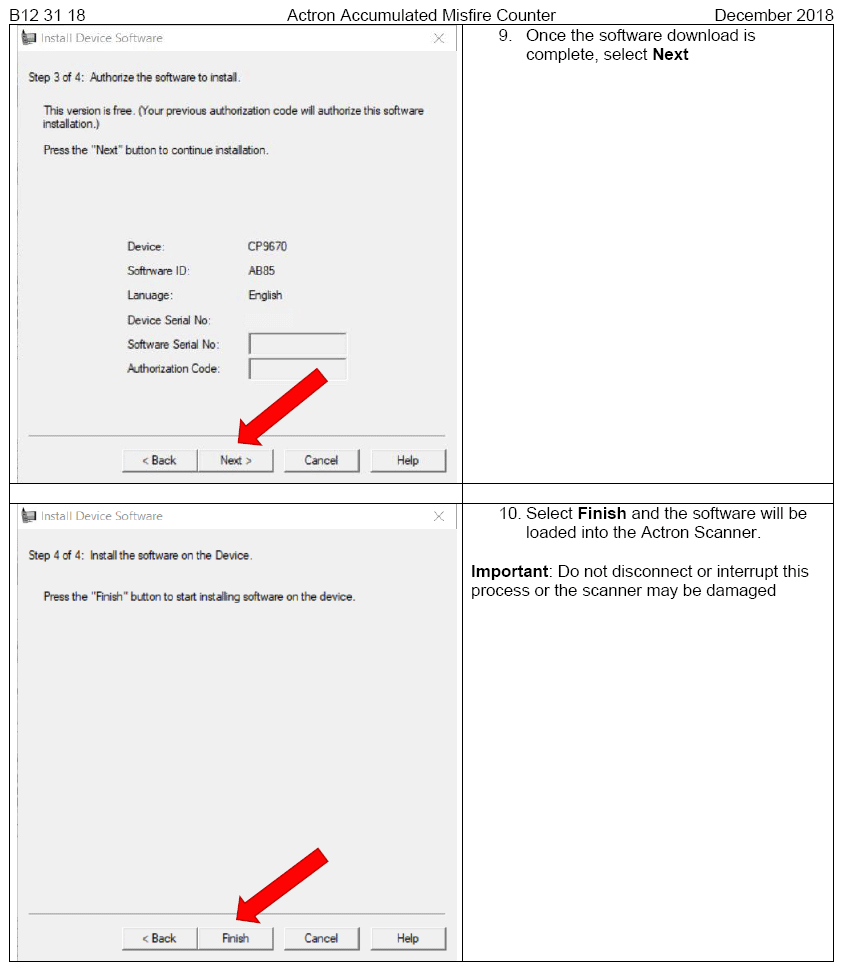
- Update the Actron scan tool with the procedure outlined in "Actron Misfire Detection Update Procedure.pdf" .
- Start the Accumulated Misfire function as described in the table below:
- Connect to the vehicle
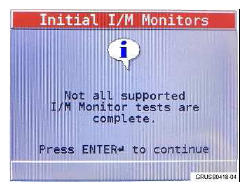
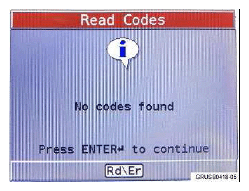
- Complete the error code readout and emission system monitor readout
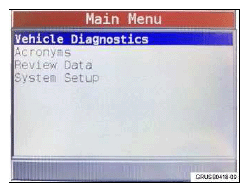
- Select Vehicle Diagnostics
from the Main Menu
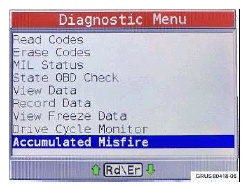
- Select Accumulated Misfire
from the Diagnostic Menu
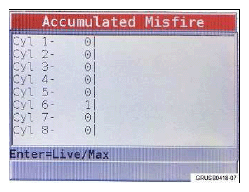
- Observe that some misfire counts may already be stored.NOTE: This does not indicate a fault and is caused by changes in crankshaft speed during normal engine operation.
- As the Misfire counts accrue, a bar graph will appear as a visual aid.NOTE: Depicted left, the most likely cause of the driveability complaint only affects cylinder three.
- Connect to the vehicle
- Test drive the vehicle in a manor to induce the complaint
- Evaluate the results and continue diagnostics
WARRANTY INFORMATION
Further information about the Actron Scan tool can be found in SI B04 18 15
ATTACHMENTS
View PDF attachment Actron Misfire Detection Update Procedure