Instrument Cluster And Onboard Computer Intermittently Inoperative (SI B62 01 19)
Publication date: 2019-03-01Reference number: SI B62 01 19
INSTRUMENT CLUSTER AND ONBOARD COMPUTER INTERMITTENTLY INOPERATIVE
SERVICE CAMPAIGN BULLETIN
| BMW: | See The Chart Below |
SERVICE INFORMATION
This Service Information Bulletin (Revision 4) replaces SI B62 01 19 dated November 2019.
What's New (Specific text highlighted):
- Models Added
- Integration level updated
MODEL
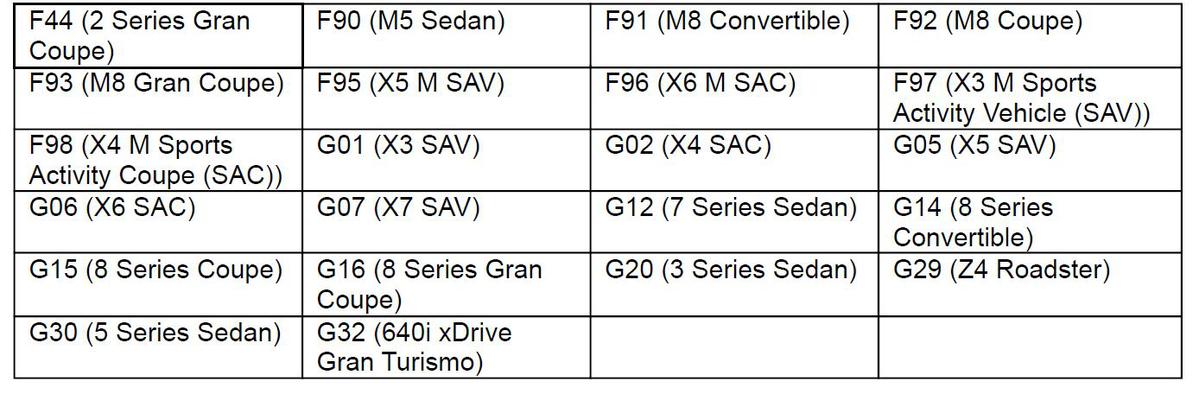
Vehicles equipped with option code:
6U3 BMW Live Cockpit Professional
Production date:
| G05, G06, G07, G14, G15, G16, G20, G29, F44, F91, F92, F93, F95, F96 | All Production |
| G01, G02, G12 LCI, G30, G32, F90, F97, F98 | From March 2019 |
SITUATION
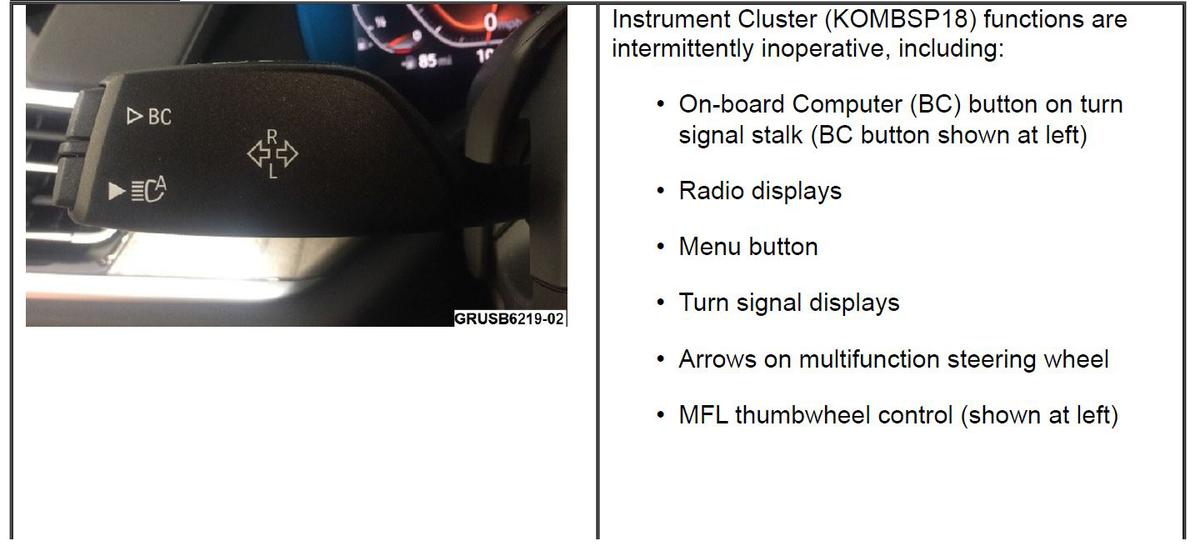
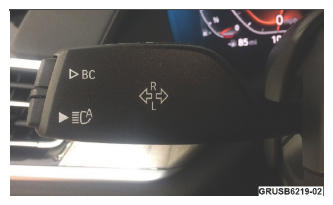
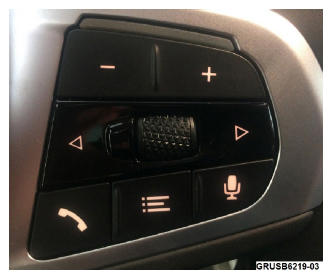
Additionally, the audio source, radio station, or music track cannot be changed using the MFL.
Normal functionality may possibly return after a sleep cycle or a battery reset.
This affects vehicles with:
- Integration level S18A-18-11-5xx
- Live Cockpit Professional (option code 6U3) including the instrument cluster High 4.1.
While the Kombi is not working properly the rest of the system is working properly. The customer can still use the Central Information Display (CID) for items such as entertainment settings, Driver Experience settings, etc, utilizing the I drive controller. The telephone functions are not affected.
CAUSE
Unfavorable software at system start-up.
CORRECTION
Program the vehicle.
PROCEDURE
- Perform diagnosis with the latest version of ISTA, working through test module, if needed.
- Is the current vehicle integration level:
Model Integration level F90, G01, G02, G12, G30, G32 S15A-20-07-525 or higher F44, F91, F92, F93, F95, F96, F97, F98, G05, G06, G07, G14, G15, G16, G20, G29 S18A-20-07-525 or higher YES: Further diagnosis with ISTA is needed
NO: Proceed to Step 3
- Program the vehicle using ISTA 4.24.1x or higher (released early July 2020).
Model Target integration level F90, G01, G02, G12, G30, G32 S15A-20-07-525 or higher F44, F91, F92, F93, F95, F96, F97, F98, G05, G06, G07, G14, G15, G16, G20, G29 S18A-20-07-525 or higher NOTE: that ISTA will automatically reprogram and code all programmable control modules that do not have the latest software.Always connect a BMW-approved battery charger/power supply (SI B04 23 10).
For information on programming and coding with ISTA, refer to DealerSpeed/TIS/Technical Documentation/Diagnostics and Programming/Programming Documentation.
- Confirm proper operation of the instrument cluster displays using the BC stalk button and MFL controls.
WARRANTY INFORMATION
Covered under the terms of the BMW New Vehicle Limited Warranty for Passenger Cars and Light Trucks or the BMW Certified Pre-Owned Program.
| Defect Code: | 6211204200 | KOMBI display/pixel/backlighting (in the instrument cluster) malfunction |
| Labor Operation: | Labor Allowance: | Description: |
|---|---|---|
| 00 00 006 | Refer to AIR | Performing vehicle test (with vehicle diagnosis system - checking faults) (Main work) |
| Or: | ||
| 00 00 556 | Refer to AIR | Performing vehicle test (with vehicle diagnosis system - checking faults) (Plus work) |
| And: | ||
| 61 21 528: | Refer to AIR | Connect an approved battery charger/power supply (indicated in AIR as Charging battery) |
| And: | ||
| 61 00 730 | Refer to AIR | Programming/encoding control unit(s) |
If you are using a Main labor code for another repair, use the Plus code labor operation 00 00 556 instead of 00 00 006.
Refer to AIR for the corresponding flat rate unit (FRU) allowances.
During the same workshop visit, if a vehicle also requires another Technical Campaign or repair that also includes programming and encoding the control units, the programming procedure may only be invoiced one time.
Programming and Encoding - Vehicle Control Units (RO and Claim Comments Required)
- The programming procedure
automatically reprograms and encodes all vehicle control modules which do not have the latest software i-level. If one or more control module failures occur during this programming procedure:
- Please claim this consequential control module-related repair work under the defect code listed in this bulletin with the applicable AIR labor operations.
Please explain this additional work (The why and what) on the repair order and in the claim comments section.
- For control module failures that occurred prior to performing this programming procedure:
- When covered under an applicable limited warranty, claim this control module-related repair work using the applicable defect code and labor operations (including diagnosis) in AIR.