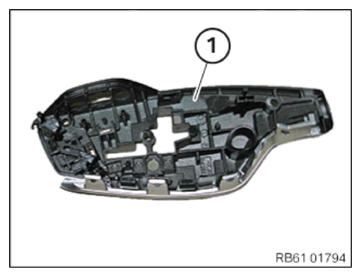
Removing the gear selector switch cover
NOTE:
RISK OF DAMAGE Careless handling of tools and sharp-edged components. Scratch, surface damage.
- Protect working area.
- Handle tools and components carefully.
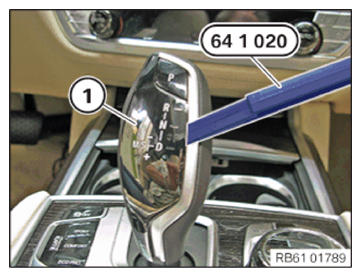
- Lever out the gear selector switch cover (1) with the special tool 0 493 681 (64 1 020)
as shown.
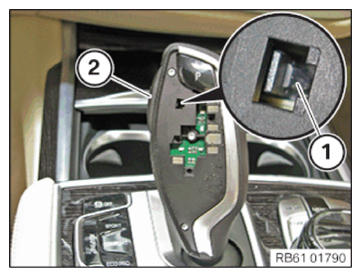
- Press the retaining hook (1) of the release button (2) down using a screwdriver with a 4 mm blade.
- Pull out release button (2) at the side.
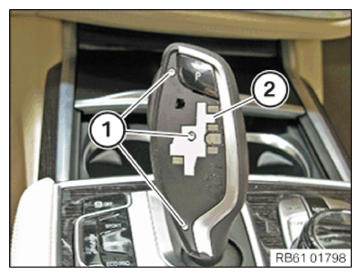
- Loosen screws (1).
- Remove the cover (2) where required.
In the case of the "ceramic gear selector switch cover" equipment specification, cover (2) is not fitted.
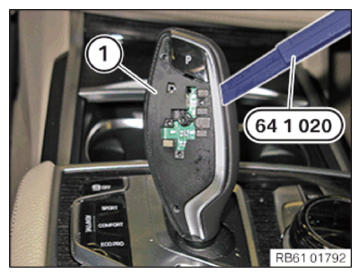
- Lever out the frame (1) with the special tool 0 493 681 (64 1 020).
- Check the removed frame (1) for broken pieces.
- Remove any broken pieces from the gear selector switch (GWS).