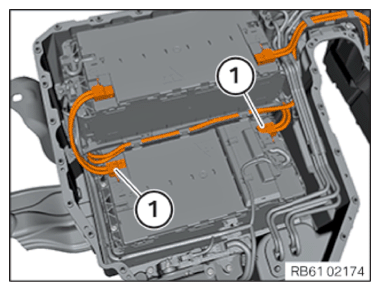
Installing cell module 2
CAUTION:
Cell module collapses.
Injury hazard! Risk of accident!
Injury hazard! Risk of accident!
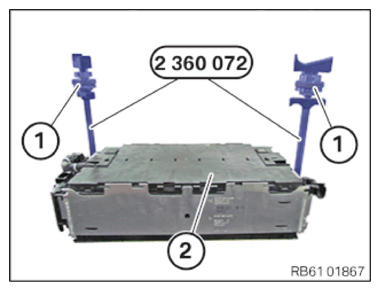
- Do not oil or grease special tool 2 360 072 (lifting device for cell module) as the holding force is no longer present.
- Observe Service Information of special tool 06 06 14 (134).
Carrying out the replacement module service function
- When replacing a cell module, the test module must be: "Document serial number of cell modules" must be performed.
- The service function can be found at the following location in BMW's ISTA: Vehicle management/service function/drive/hybrid vehicle (only for PHEV)/high-voltage battery unit/high-voltage battery unit: Document serial number of cell modules.
- The following procedure must be followed here:
- Enter the 10-digit serial number of the high-voltage battery unit or scan the 31-digit data matrix code of the high-voltage battery unit.
- For all replaced cell modules: Enter or scan the 28-digit serial number of the previously installed cell module (old), enter or scan the 28-digit serial number of the newly installed cell module (new).
- For a functional description, see also: ADDITIONAL INFORMATION!
Insert the cell module into the high-voltage battery unit
- Carefully position the cell module (2) with the special tool 2 360 072
in the high-voltage battery unit.
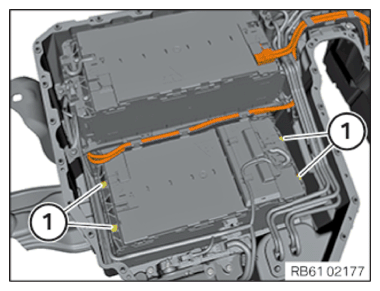
- Tighten screws (1) cell module through cross.TIGHTENING TORQUES SPECIFICATION
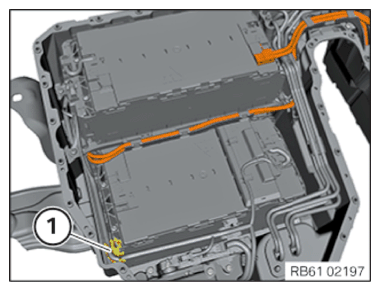
Module screw connection M6x85 replace screw. Tightening torque 14 Nm - Push in the holder for the wiring harness (1).
- Connect connector (1) at cell monitoring electronics.
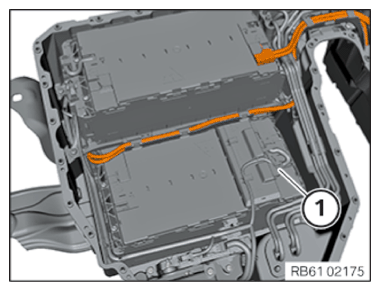
- Connect high-voltage cables (1).
- Turn the thumbwheels (1) to the left up to the stop.
- Carefully remove the special tool 2 360 072
from the cell module (2).