Removing the 12 V power socket (front storage compartment)
Preliminary works
- Remove the center armrest STORAGE COMPARTMENT .
- Remove the center ARMREST .
- Release the center console, center CONSOLE TRIM
- Remove CUPHOLDER .
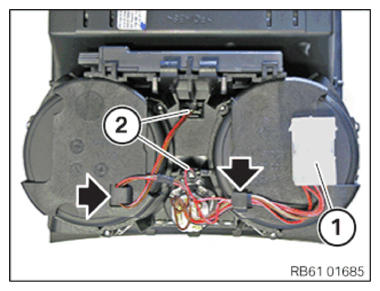
- Unclip the connector (1).
- Unclip the LED module (2) and pull it out of the storage compartment.
- Unclip the cables (arrows) at the cable clips.
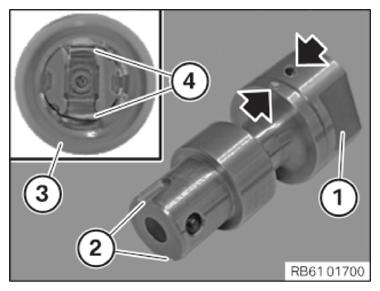
- Turn the head of the special tool (1) towards the left until both marks are positioned opposite each other.
- Carefully insert the special tool (1) into the 12 V power socket (3).
- If applicable, carefully turn the special tool (1) towards the left until the recesses (2) of the special tool engage with the contacts (4) of the 12 V power socket (3).
- Turn the head of the special tool (1) towards the right until the special tool locks in the 12 V power socket (3).
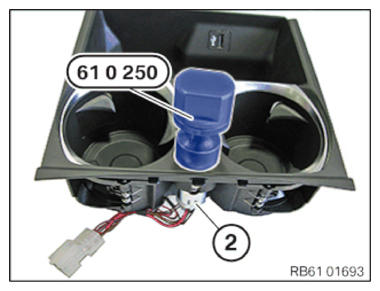
- Pull the special tool 0496 588 (61 0250) including the 12V power socket (2) from the storage compartment.
- Feed out associated cables.