Installing the front speaker holder
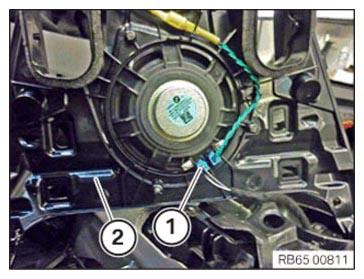
- Position the speaker holder (2).
- Connect the plug connection (1).
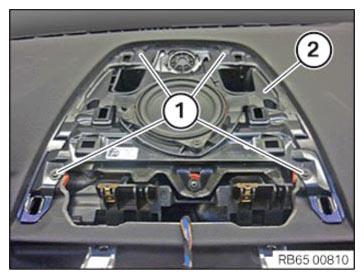
- Install the speaker holder (2) correctly in the instrument panel.
- Tighten the screws (1).
TIGHTENING TORQUES SPECIFICATION
| Speaker to support/support to instrument panel/support to body | ||
| Screw | Tightening torque | 1.8 Nm |
Follow-up Work
- Install the speaker trim at the INSTRUMENT PANEL .
- Install the CENTRAL INFORMATION DISPLAY (CID).
- Install the finisher on the right INSTRUMENT PANEL .
- Install the right instrument panel SIDE PANEL .