TPMS Reminder Reset - Procedure 05
NOTE:
In order for the tire pressure monitoring system to work, the specified pressures (provided on tire pressure label located on driver's side door pillar) must be reprogrammed after every change in air pressure or after every wheel change.
- Ensure air pressure in all tires (including spare tire) is properly adjusted to specification.
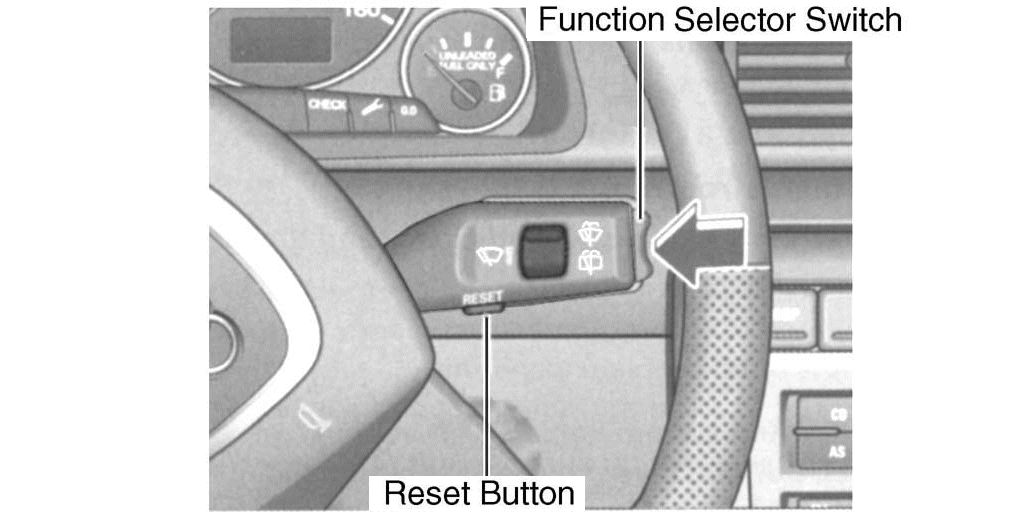
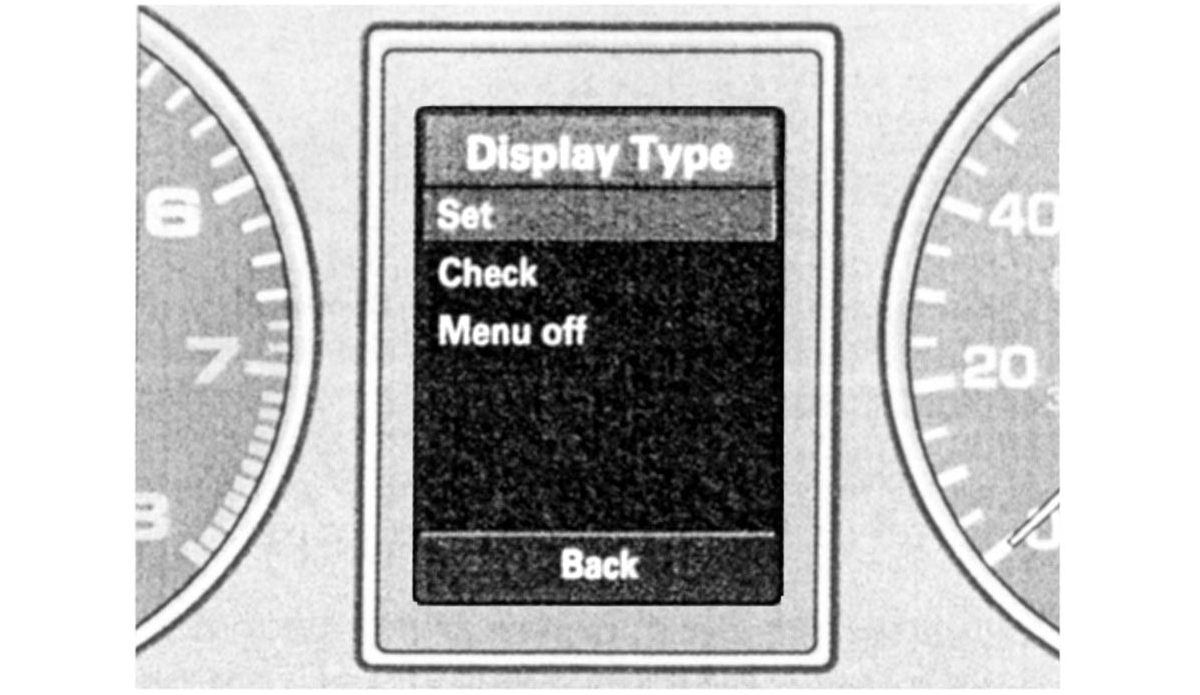
- On the windshield wiper lever, push the RESET button (Fig 1) until the menu shown in in the illustration is displayed. See Fig 2.
- Push the rocker switch at the end of the lever to select the "SET" option.
- Push RESET button.
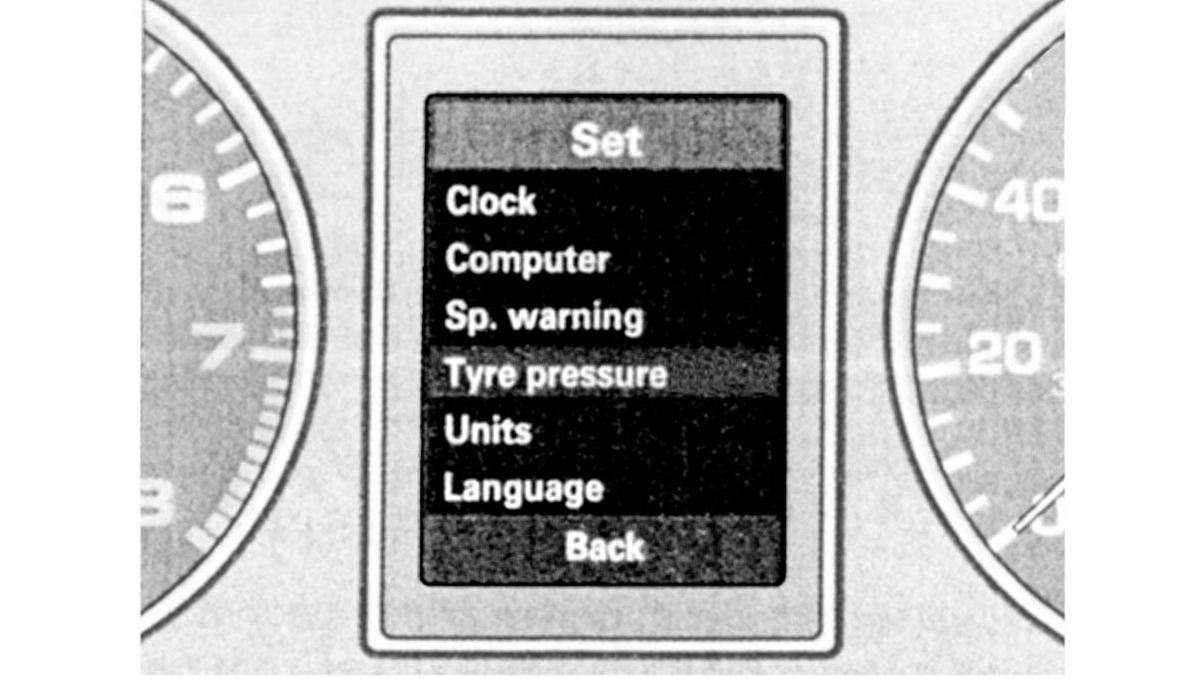
- Push the rocker switch to select the "TYRE PRESSURE" option. See Fig 3.
- Push RESET button.
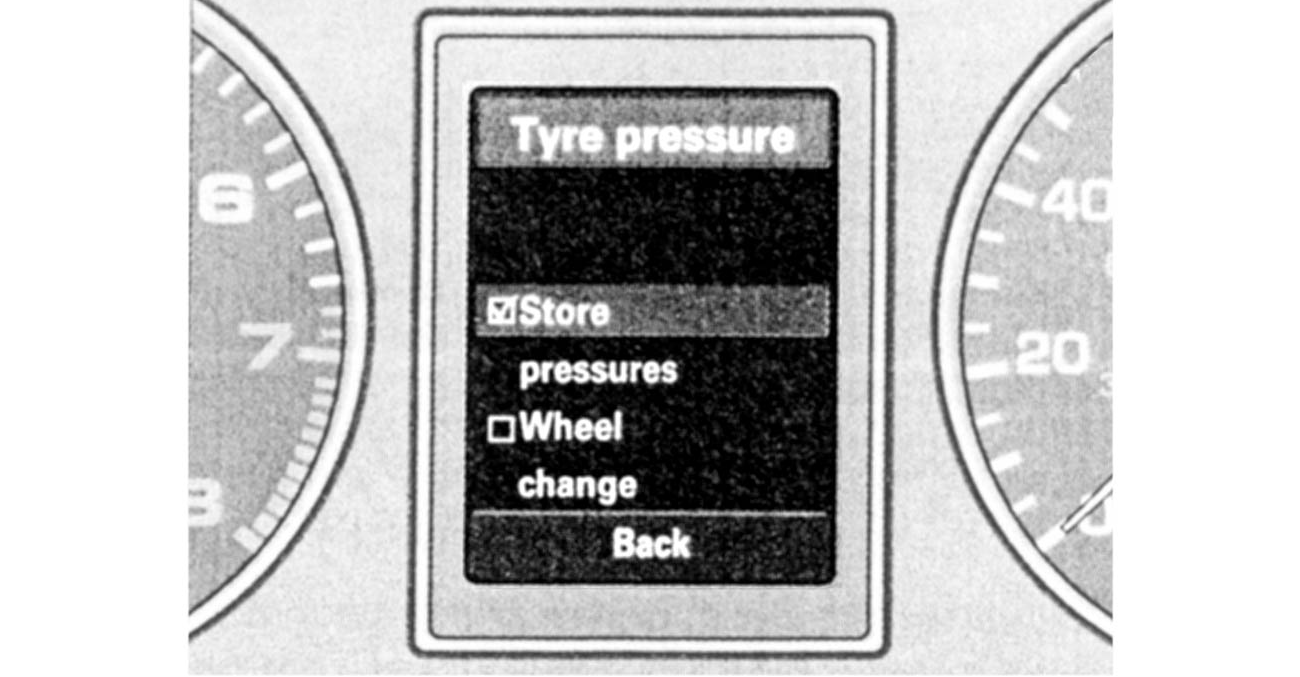
- Push the rocker switch to select "STORE PRESSURES" option. See Fig 4.
- After the tire pressures have been saved, the system will measure the actual pressures once again, and then save these as the new pressures.